
The software translation may not be very accurate, but you should be able to understand what I mean
By the way,
Do you use ‘haxe flixel’?
The OpenFL shape API is vector based.
Starling is 2D sprite focused.
There were extensions in the past for Starling for AS3 (Starling Extension Graphics), that provided some drawing capabilities, but I believe that under the hood these were still leveraging the Flash API. It was not compatible with Starling 2.x either.
The Starling canvas overlaps in functionality with this quite a bit, and would be more performant. It just lacks the border as you’d noticed, but I have suggested ways you might be able to address that.
I don’t, no. Almost all of my projects are not games, but greatly benefit from GPU accelerated spritesheets. HaxeFlixel is geared more specifically towards games.
I always thought that you used ‘starling’ to develop indie games.
But you replied that your project is not a game.
Ah。 Aren’t you a game developer?
Because, as far as I know, ‘starling’ is a framework developed for gaming.
The software translation is not very accurate.
Everyone knows that I use ‘Adobe Animate’ to create animations.
Adobe Animate can only export a single sprite table
If the animation is long and there are many resources, a sprite table cannot fit all of it.
Not supporting multiple packages of sprite tables
So I came up with a way to achieve it
I export the completed animation to ‘swf’
Using the ‘haxelib swf’ plugin
Then I can get the sequence frame images in ‘swf’
I converted the sequence frame images in ‘swf’ into ‘starling textures’
Then, by switching between each texture, an animation is formed
Welcome everyone to exchange experiences
I don’t believe I’ve mentioned that I develop games. That said, I have produced a number of games over the years, but these are bespoke projects that are purpose built for brand campaigns and events. I don’t typically put them in the “games” basket because it’s never publicly released as a game. They’re made, they’re used for a week or a month, sometimes only a day, and then never used again. It’s the nature of the work I do.
There are some exceptions which are used in exhibition like spaces that have been in use for years. Most of those are AIR / Starling for AS3, as that’s what I was primarily using when they were built.
In Adobe Animate, you can right-click a symbol in the Library and “Export PNG Sequence…”
You can then take that into texture packing software (previously mentioned), and turn that into optimised multi-pack sprite sheets.
In the morning, I purchased a “TexturePacker” license
I cannot find the ‘ATF’ option
Later, it was discovered that ‘ATF’ had been deleted
Has ATF been eliminated?
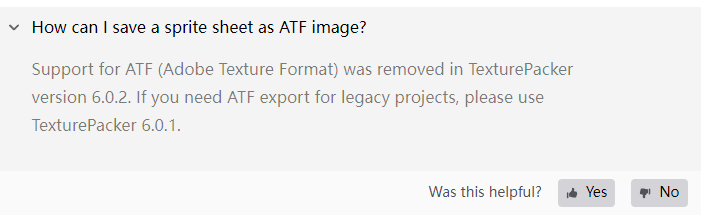
How can I save a sprite sheet as ATF image?
Support for ATF (Adobe Texture Format) was removed in TexturePacker version 6.0.2. If you need ATF export for legacy projects, please use TexturePacker 6.0.1.
On the page below, scroll down to TexturePacker 6.0.1, and download that version:
It was the last version of TexturePacker to support the ATF format.
I’m currently working on ways to use the newer KTX1 format in OpenFL and Starling. I have a working prototype (see open issue here). That would mean you could then use the latest version of TexturePacker.
1 Like
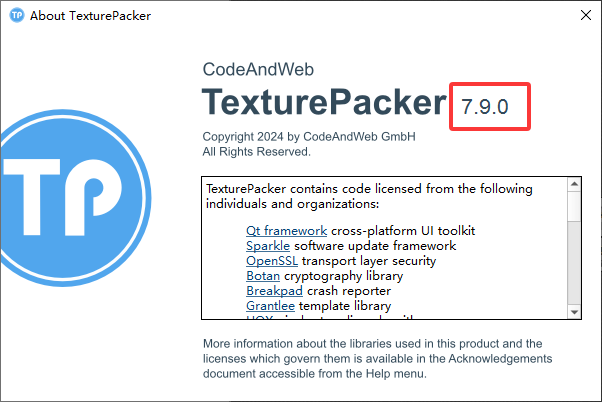
I bought a license for “7.9.0”! Not ‘6.0.1’
Is the issue the license doesn’t work?
I use both versions interchangeably.
Is the issue the license doesn’t work?
I use both versions interchangeably.
【I don’t know, I haven’t tried doing this yet.】
As shown below: I have encountered a problem and am seeking help
There is an issue with the “TexturePackerGUI” multi pack sprite table
I thought the multi pack sprite table was composed of multiple textures and an XML file
The result is multiple textures and multiple XML files
I imported "10-24. png“
The exported multi package sprite table is out of order and not exported in the order of my pictures ..
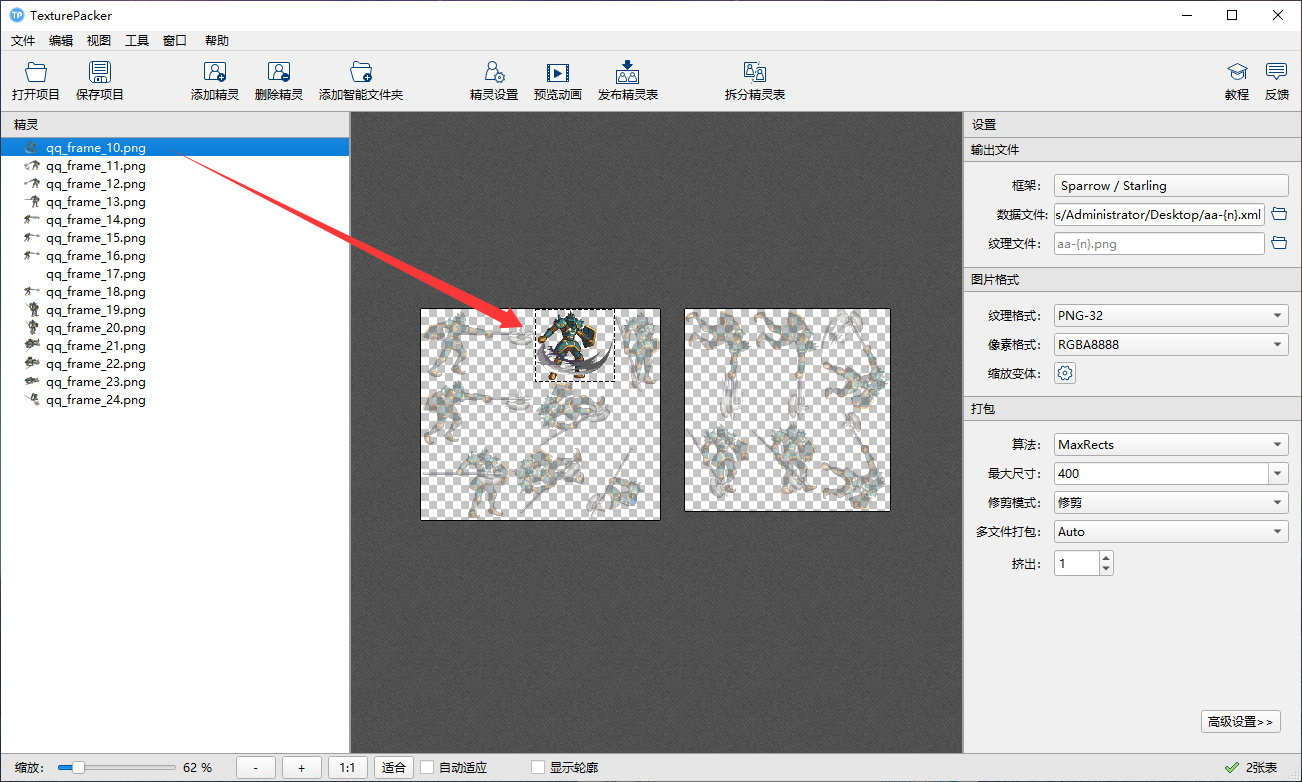
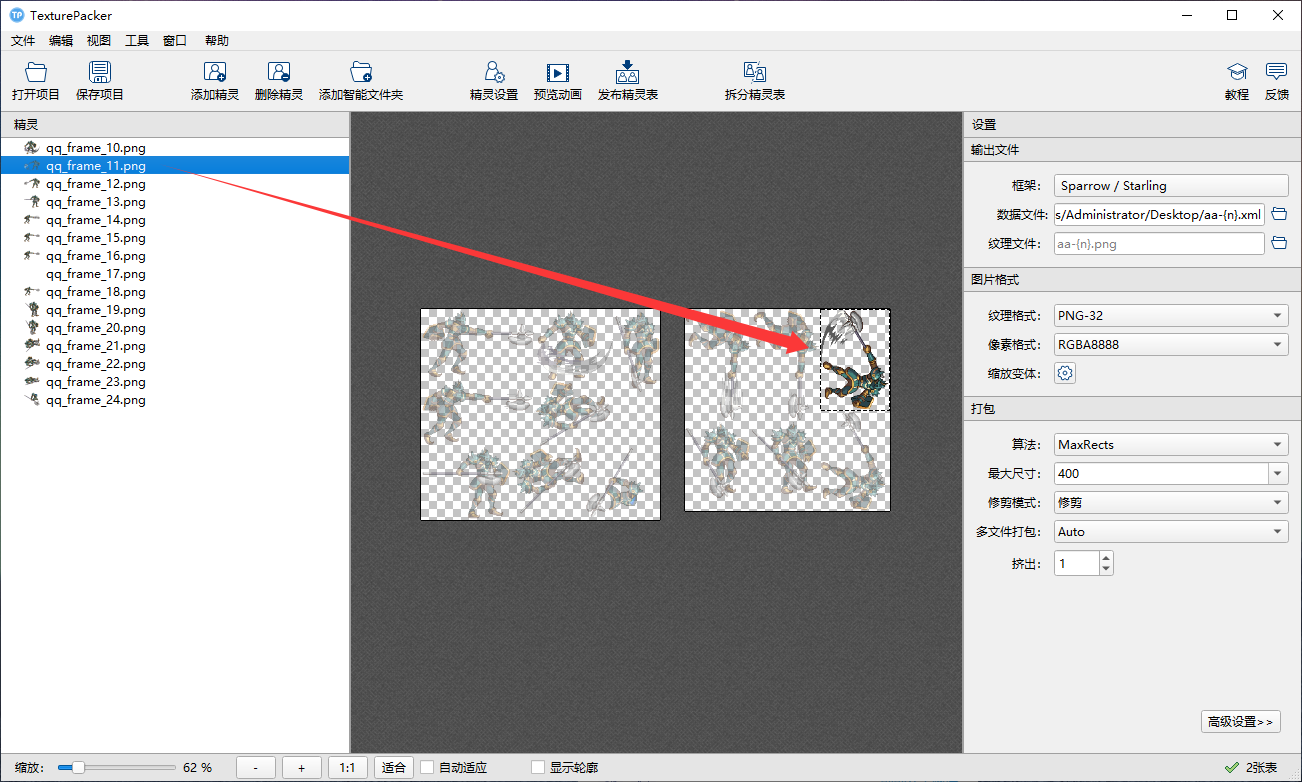
Is’ starling 'parsed in texture order?
The order is incorrect, so my animation frames are also incorrect?
Oh that’s fine, the order doesn’t matter at all there. The XML file will (automatically) contain the important order and placement information.
TexturePacker will change the order and rotation with the aim of producing smaller/less spritesheets. This will have no impact on the actual rotation and order of your animations.
You haven’t realized the seriousness of the problem yet
I told you that the order of exporting textures is incorrect
Each XML is an animation
The texture of each animation may be in another XML file
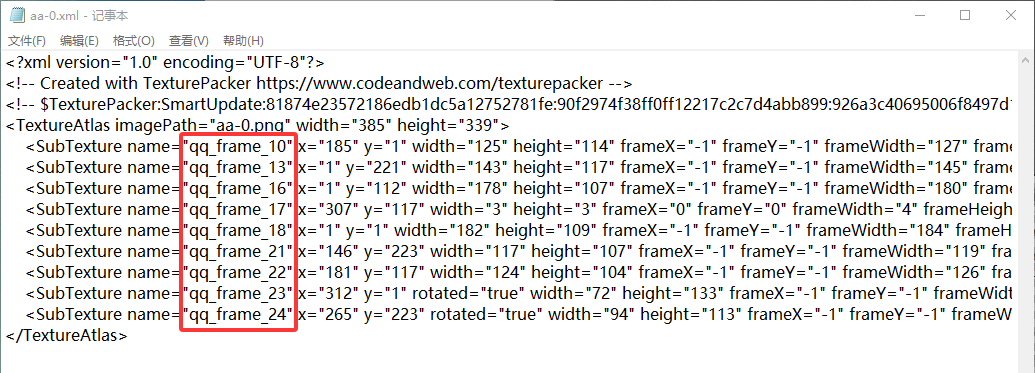
May I suggest you try importing this into Starling, and seeing how it performs. Then, let me know if you encounter any issue 
You’ll need to ensure you import all spritesheets and their corresponding XML with Starling’s assetManager.addTextureAtlas(), that make up the set (two spritesheets in your screenshot).
Starling can only parse one XML at a time
Let me put it this way, the frame textures of an attack animation are on 0.xml and 1.xml respectively!
Instead of all being in 0.xml
Two XML files must be parsed to obtain the correct texture from the unordered texture
Here are just two XML files
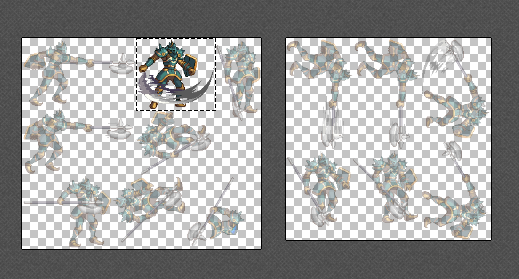
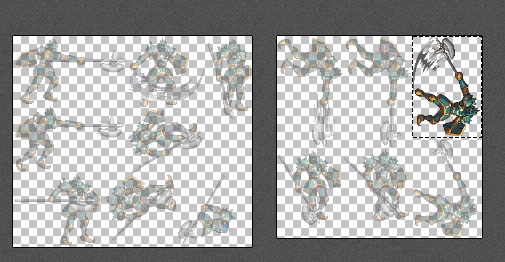
Look at the picture! A frame of an attack animation is displayed on two separate XML files ..
By the way, can “TexturePackerGUI” export bitmap fonts?
Please understand, what you’re describing here is a feature, not an issue. I see and recognise exactly what’s happening and please be assured, this is entirely normal.
You’re not limited to one XML at a time.
You’re now working with multi-pack spritesheets. You need to import that full set of spritesheets before you can work with the sequences they contain.
Something like:
var assetManager = new AssetManager();

assetManager.addTextureAtlas("aa-0", new TextureAtlas(Texture.fromData(Assets.getBytes("aa-0.atf")), Xml.parse(Assets.getText("aa-0.xml"))));
assetManager.addTextureAtlas("aa-1", new TextureAtlas(Texture.fromData(Assets.getBytes("aa-1.atf")), Xml.parse(Assets.getText("aa-1.xml"))));

// ...and so on...
Then, after you’ve imported all of those, you access your animations with:
var movieClip:MovieClip = new MovieClip(assetManager.getTextures("qq_frame"));
That’d be nice. I’ve not tried in the latest version, but I don’t believe it can.
Just on this actually, your spritesheet can contain the bitmap font image atlas, but you’ll still need a separate application to produce that image.
In essence, it’s a bitmap font image atlas (created elsewhere), that is placed within your regular spritesheet / atlas. The advantage is it’s bundled up with your other assets and encoded as an ATF. It’s not essential that you do this, but you can.