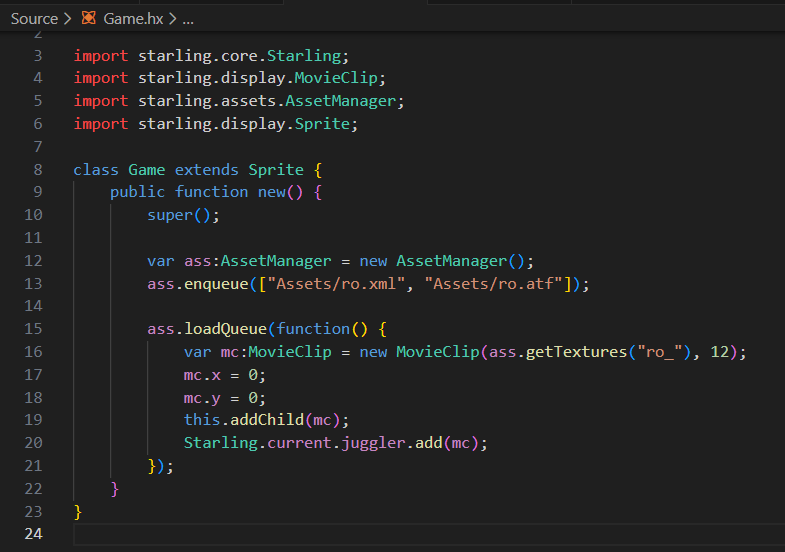
The following assumes textures are to be uploaded to the GPU, such as when using the Starling framework.
TexturePacker, a great tool for generating texture atlases, removed support for ATF after TexturePacker version 6.0.1, because data had indicated that ATF was not being widely used by users of TexturePacker.
ATF supports GPU compression, meaning textures are uploaded and stored in the GPU in their compressed state.
The conventional PNG (and other similar conventional formats) on the other hand, while initially compressed, must be decompressed before being uploaded to the GPU and are stored in GPU memory in a completely uncompressed state.
When producing texture atlases, what image format would you still use if you could?
If you use mipmap you have your texture in different resolutions. So it is normal to have something larger in size. But it will be still faster to upload to GPU.
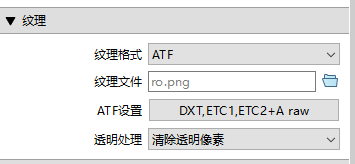
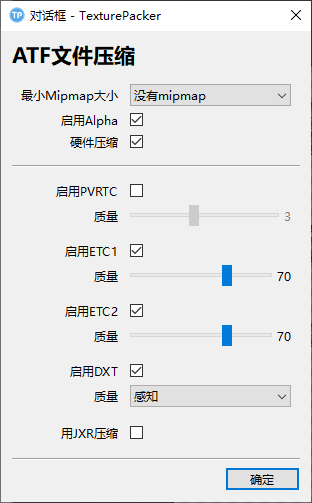
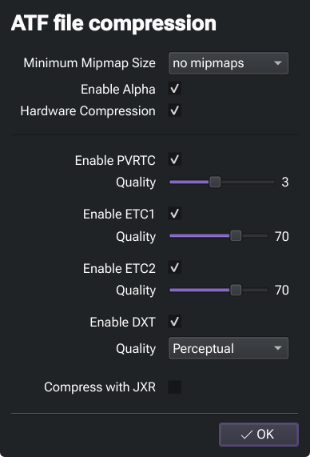
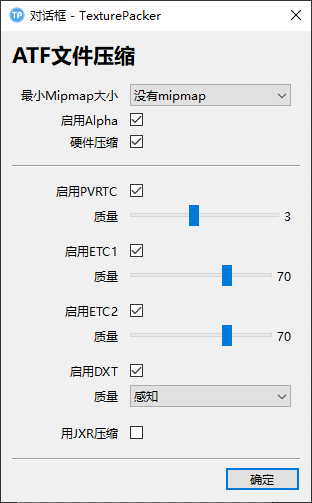
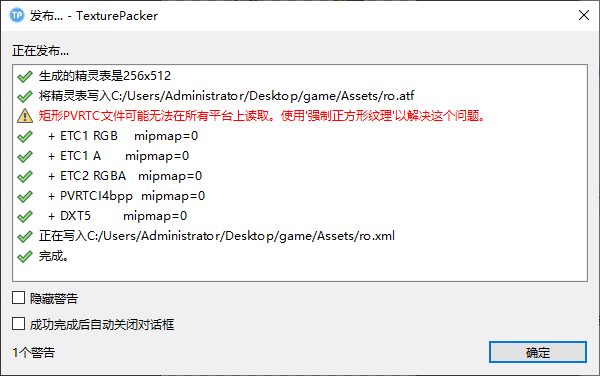
I exported ‘ATF’ based on the options in the above picture, and the image can be displayed correctly on the computer. However, the image is not displayed on my phone!
The ATF container supports multiple GPU texture compression formats, even simultaneously.
DXT1/5 (S3 Texture Compression) - Used by desktop operating systems (Windows, Mac OS, Linux) and some mobile phones. DXT1 has 1-bit alpha, where as DXT5 supports full alpha. Whether you use DXT1 or DXT5 depends on your alpha needs.
ETC1 (Ericsson Texture Compression) - Used by mobile phones, most notably Android. Has no alpha.
ETC2 (Ericsson Texture Compression) - Higher quality than ETC1 and supports alpha. Used by Android and iOS mobile phones. Google claims >95% mobile support for Google Play devices.
PVRTC (PowerVR Texture Compression) - Supported by all generations of iPhone and iPad.
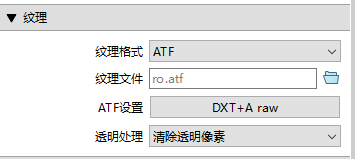
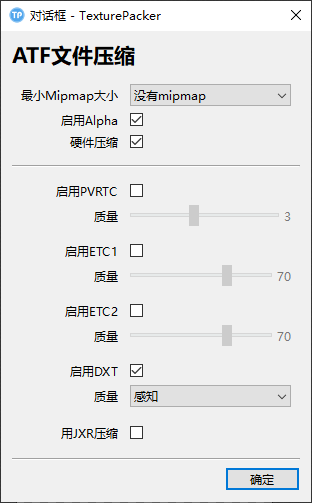
If you’ve created an ATF that contains DXT only, such as:
Then one should only expect that to work reliably on a desktop system.
The other caveat, is what the target platform supports itself, and browsers critically add another level of support (or lack of) to this caveat. When a new texture is created in OpenFL, the runtime environment is queried for what extensions it supports (DXT1, DXT5, ETC1, PVRTC, etc).
If your ATF contains multiple formats, it’ll upload the first supported format to the GPU (and none of the others). If I’m not mistaken, format priority is in this order (based on order here):
DXT > PVRTC > ETC1 > ETC2
For example: If your ATF contains DXT1 and ETC1, and the target runtime supports both, only DXT1 is uploaded to the GPU. If the target runtime supports neither of those (perhaps an iPhone?), it’ll fail!
For desktop and mobile support from a single ATF, I’d suggest packaging at leastDXT and ETC2.
It’s not that I don’t want to check all the boxes,
But only configurations like the one shown in the picture can be displayed in HTML5 on the computer. I tried to check them one by one, and as long as I checked others, they wouldn’t be displayed!
You may need to explain what you mean, I’m not sure I understand your expectations of “universal”.
No single ATF GPU texture compression type (DXT, ETC1/2, PVRTC) supports all platforms. What each supports is mentioned in the description I offered above.
ATF as a format sought to solve the issue of “universal” platform support, by being able to simultaneously contain multiple compression types, that would then collectively provide universal support.
For example, broadly speaking:
DXT works on desktop, but not on mobile, as you’ve noted.
ETC2 however, works on mobile, and not (typically) on desktop.
If the ATF file contains both types, then theoretically, it should work broadly speaking on both desktop and mobile.
There are many options on the picture,
Only by checking “dxt” separately can the image be displayed on the “html5” computer. If both “dxt” and other options are checked and the image cannot be displayed, that’s what I mean
Only select ‘html5’ on the DXT computer to display images,
But this way, the image cannot be displayed on the mobile phone,
Does it seem like it’s not possible to include both “dxt” and other options at the same time?
Because it contains both “dxt” and other options, the image cannot be displayed on the computer, but it cannot be displayed on the mobile phone without other options ..