What browser are you using @785597448 ?
I’m testing in Chromium 142.0.7444.176.

What browser are you using @785597448 ?
I’m testing in Chromium 142.0.7444.176.
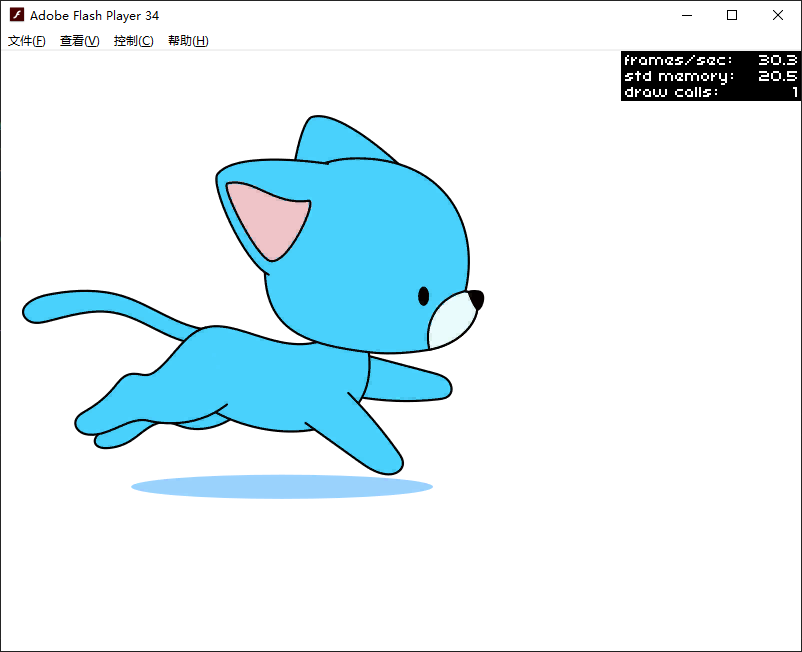
My cat run ATF and XML files (download expires this time tomorrow):
https://wormhole.app/rMR1O5#9xf7Ee-Z6GmVENjoUh3oFA
Reference the textures using "cat_run_".
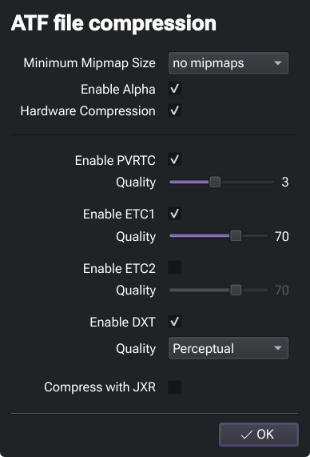
I intentionally left off ETC2 support for now.
After using your file, “html5” and “neko” cannot display images on my computer, while “flash” can display them correctly ..
I think I may see the issue. When alpha is enabled, but ETC1 is included in the ATF, it fails on desktop sys targets.
Try un-ticking ETC1 and see if you get any more success.
Alternatively, untick the Alpha box to disable alpha, and try (obviously, that’ll have implications for game assets, but this is just for testing).
When I was testing originally @785597448 , I had DXT5 and ETC2 enabled only, and that appears to work fine on desktop. I’ve since noted a possible issue with ETC2 support on browser too, but I’m still investigating that.
Toggling alpha in TexturePacker when using DXT, toggles DXT between DXT1 (no alpha) and DXT5 (alpha). ETC1 has no such toggle, it simply has no alpha. One should use ETC2 instead if feasible.
I just tested that canceling “ETC1” can display images on the computer, but still cannot display images on the mobile phone ..
That’s now consistent with what I’m getting. I’m still investigating the mobile phone issue.
I would like to ask, can the rendering performance of Starling’s movieclip be improved? At least on par with Tilemap, right?
You might like to create your own thread for that question @785597448.
Good afternoon, I’m here to inquire about the solution for “ATF” on mobile devices. Have you made any progress? Thank you
If it cannot be solved, only the universal “png” can be used
To my knowledge, many animation software use “png”, such as “Spine”
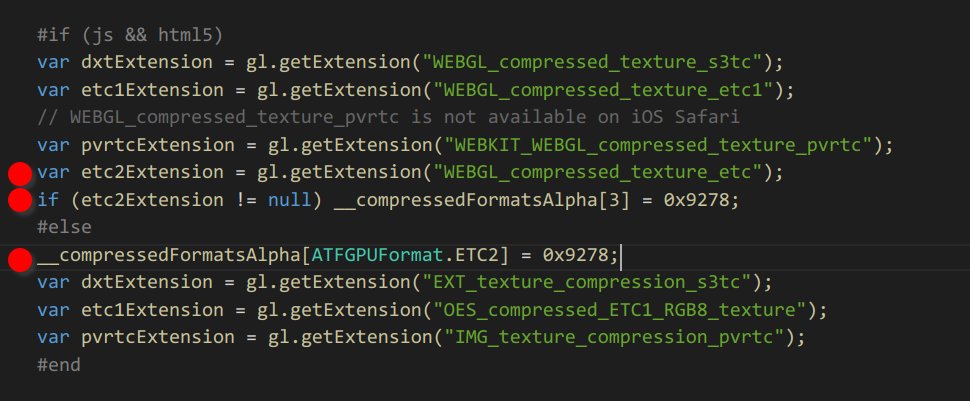
No luck as far as ETC2 on Android is concerned. In all tests, ETC2 fails to load and so far I haven’t been able to resolve that in code (openfl.display3D.textures.TextureBase). I can’t offer a solution at the moment.
ETC1 works, but has the limitations that come with ETC1.
PNG will always be the most universal format.
Good morning, it seems that “atf” is not suitable for all systems and all targets, so we can only use the generic “png”. Thank you very much for your research contribution
At the moment, I’d have to agree where Android support is needed. I suspect, and hope, there is something resolvable with this though, so ETC2 support can be confirmed.
Just returning to this topic though, the question was presented as a hypothetical, “what image format would you use if you still could”, and my answer would remain ATF.
The ‘ATF’ cannot be displayed on the mobile phone. Didn’t you say that you haven’t found a solution? Doesn’t your project need to run on a mobile device?
html5
My topic here is asking a hypothetical question (which did get derailed a bit, but I acknowledge that it was probably a worthwhile investigation).
So in effect I’m asking: If ATF worked on desktop and mobile devices (as it should), would you prefer to use it over PNG?
My personal answer would be yes.
If ‘atf’ applies to all systems and all targets, I think many people will use it I thought you had found a solution, but it turned out to be a hypothesis ..
To my knowledge, some popular animation production software also uses “png”, such as “Adobe Animate, Spine, Dragonbones”

Now hopefully, the reason ETC2 is not working for you and me, can be figured out 
I’m still trying to isolate it, I’ve not yet confirmed it’s an OpenFL issue.
Those format files use PNG, but nothing prevents you to use ATF in your game.
That’s what I do with Spriter.