Starling 2.4 features a new, much enhanced AssetManager. All the code examples that follow were written with this new version in mind.
The new AssetManager class can be found in the starling.assets package. For compatibility reasons, the old version is still available at its previous location (in starling.utils), but it’s now marked as deprecated. Upgrading to the new version should be really painless — the changes in the public API were kept at a minimum. In exchange, you can profit from the new version’s much higher flexibility.
Thanks for sharing those AssetManager details @785597448. It does vaguely ring a bell now you mention it. I’ll have to go back and look at that again.
Can you confirm please, have you tried using leading zeros on your PNG assets? Ideally, your PNG frames should be named something like someasset_001.png, someasset_002.png etc.
The options available at the moment are:
Set your pivot point in code (the method I’ve typically used). Eg:
Manually write the pivot into the atlas XML. You only need to do this for the first frame of an animation sequence, as Starling will automatically apply it to the remaining frames. For frame 01:
Currently, you’re jumping from problem to problem, and not really providing any feedback about what you’ve tried, what has and hasn’t worked.
I know the classic AssetManager works. That’s not the issue here. I have no issue with you wanting to try to use the new one, but would you like to focus on getting your animations working, or would you like to focus on the non-essential stuff?
I’m just another user like you. I have projects I should probably be focusing on, so let’s stay on track.
I’m not sure what you mean by “neko html5”. They’re two different targets.
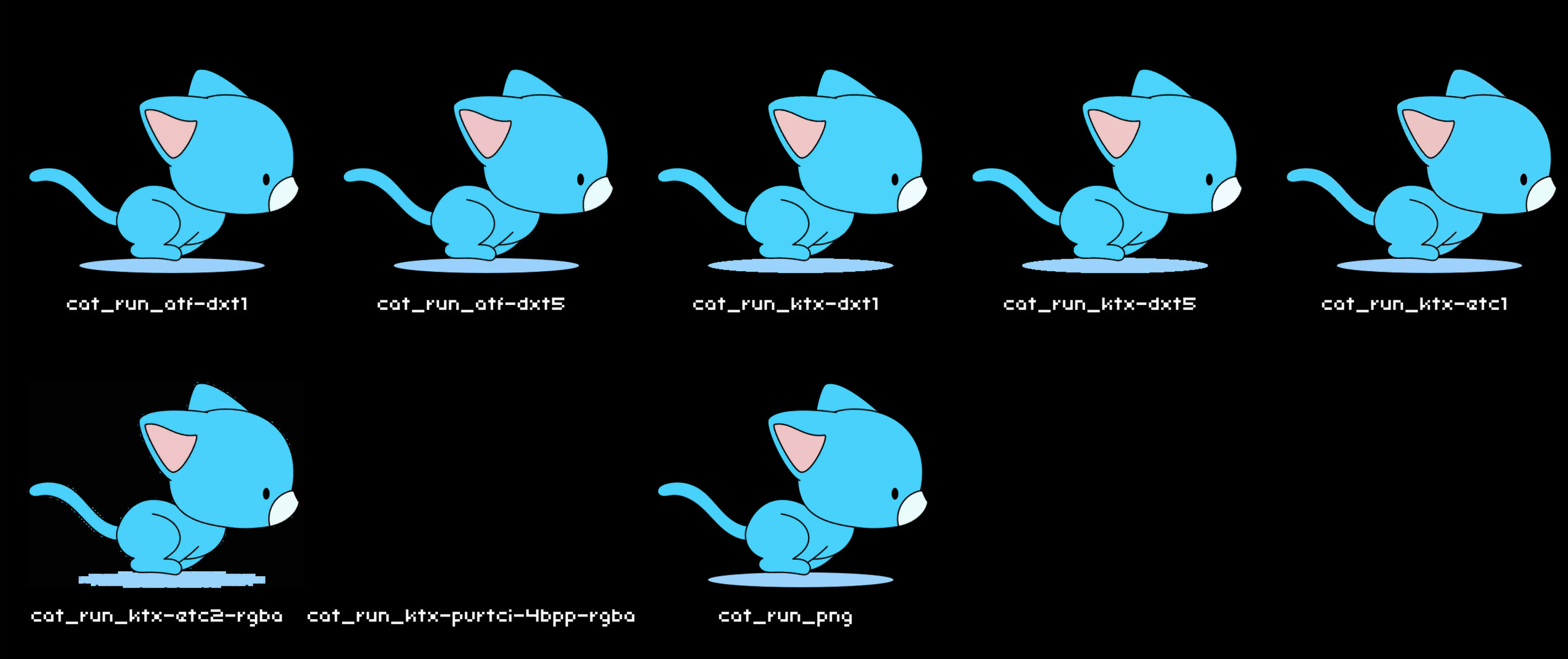
In my testing, both Neko, and HTML5 appear to support ATF with DXT. The first two cats are spritesheets in ATF (DXT) format. The last one on the bottom is a regular PNG spritesheet.
My test project when targeting HTML5 (and testing in Chromium based browser):