Unable to install using 'AIRSDK_51.3.1.1' packaging!

Using the latest “AIRSDK_51.3.1.1” to package “win exe” cannot be installed! There is an issue with “AIRSDK_51.3.1.1”

Hi everyone, I would like to provide feedback on the issue.
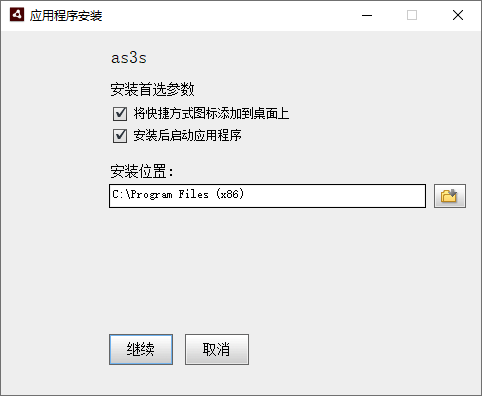
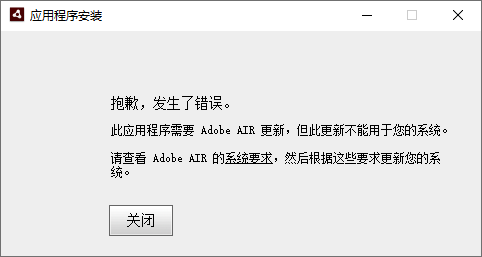
As the title suggests, I am using the latest “AIRSDK_51.3.1.1” to package the “win exe” installation package, but I am unable to install it on the “win” system!
Probably unrecognized at runtime ..

I have installed the latest ‘AIR runtime - version 51.2.2.6’ and packaged ‘win exe’ using the latest ‘AIRSDK_51.3.1.1’, but I cannot install it!

Have you used the AIR SDK Manager to install things?

Or are you referring to your own application’s bundle?

I have installed the latest ‘AIR runtime - version 51.2.2.6’

I use “AIRSDK_51.2.2.6” for packaging and installation.

But when I use the latest “AIRSDK_51.3.1.1” for packaging, there is an error during installation!

I feel that there is an incompatibility between the latest runtime and the latest ‘air SDK’???

I mean the ‘. air. exe installation package’

My “GitHub” account has been unable to log in, so I just reported this issue on the “Starling” forum. However, I found that the title of “Starling” has a word limit and images cannot be uploaded. Therefore, I have come to the “OpenFL” community to provide feedback. Thank you for your contributions

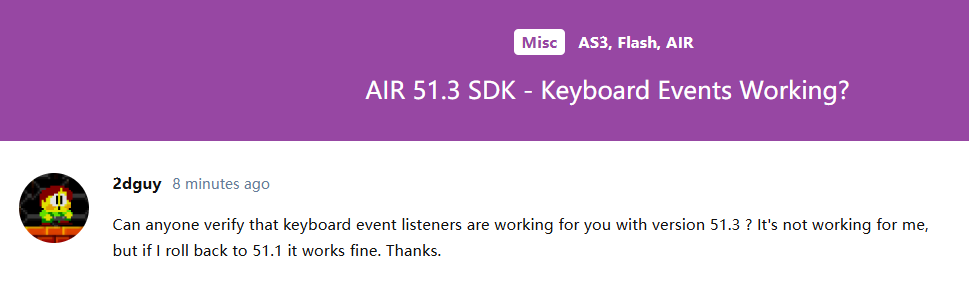
AIR 51.3 SDK - Keyboard Events Working?

Can anyone verify that keyboard event listeners are working for you with version 51.3 ? It’s not working for me, but if I roll back to 51.1 it works fine. Thanks.

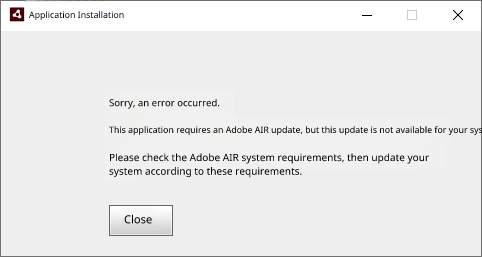
Translation of the error for others:

I have tested and found that the “AIRSDK_51.3.1.1” keyboard event is working properly. I am using the “win10” system

Do you have a solution?

Nothing for sure. My environment hasn’t been setup for AIR in years.

Perhaps have a look at your application.xml and see what version your application is set to:

For example:

<application xmlns="http://ns.adobe.com/air/application/51.2">

Nowadays, “VSCode” is very intelligent. When you change the “SDK”, the configuration file is automatically updated without the need for you to set it up. Even if you need to manually set it up, do you think those who should play “AS3” will not know these configurations! It has nothing to do with these configurations, I suspect it’s because the runtime cannot recognize them ..

Indeed. When I was developing with AIR I was using FlashDevelop, so yes, things have likely changed.

However, importantly, you can adjust that number, reducing it. Try reducing it to the version I posted there, and see what happens?

That would then match your runtime version.

@Bink

It has been tested and it’s useless. It’s still the same error.

04

05

I suspect that the latest runtime cannot recognize the latest ‘SDK’. Has Harman not tested the release of the new ‘SDK’?

Try building a captive runtime instead. That will bundle the appropriate runtime with your application.

@Bink

What I’ve been saying is that the installation package cannot be installed!
The embedded bundle can run ..

Uninstall the AIR Runtime 51.2.2.6. If you’re using a captive runtime, you don’t need to install that.

@Bink

I know, but sometimes I have to release the “. air. exe” installation package

Then you’re able to install and build with an SDK that has a supported runtime?

AIR SDK 51.2.2.6

@Bink

AIR SDK 51.2.2.6 is completely fine. Every time I change the “SDK”, I perform packaging testing. When using “SDK 51.3”, I also perform packaging testing and found that the “. air. exe” installation package packaged in “SDK 51.3” cannot be installed! But the bundle can run

Running an AIR 51.3 version .air file requires AIR Runtime 51.3.

That runtime does not exist (as of writing this). So your current maximum options for building and running a .air file is AIR SDK 51.2.2.6.