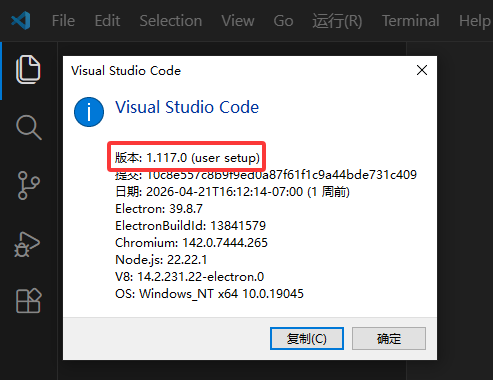
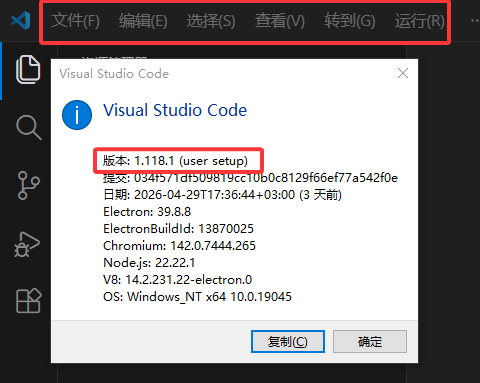
The ‘vs code 1.118.0’ Chinese language pack is not working
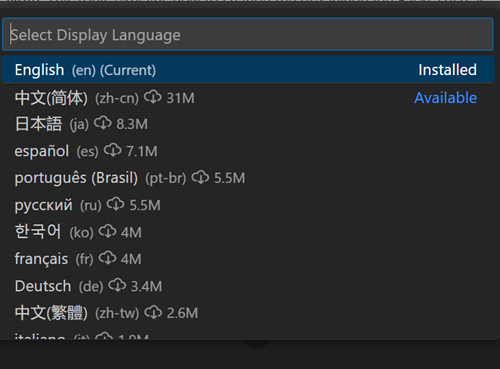
Just now, I downloaded and installed the latest version of “vs code” and found that the previously installed Chinese language pack had changed to English. I restarted my computer and reinstalled the Chinese pack, but unfortunately it didn’t work at all
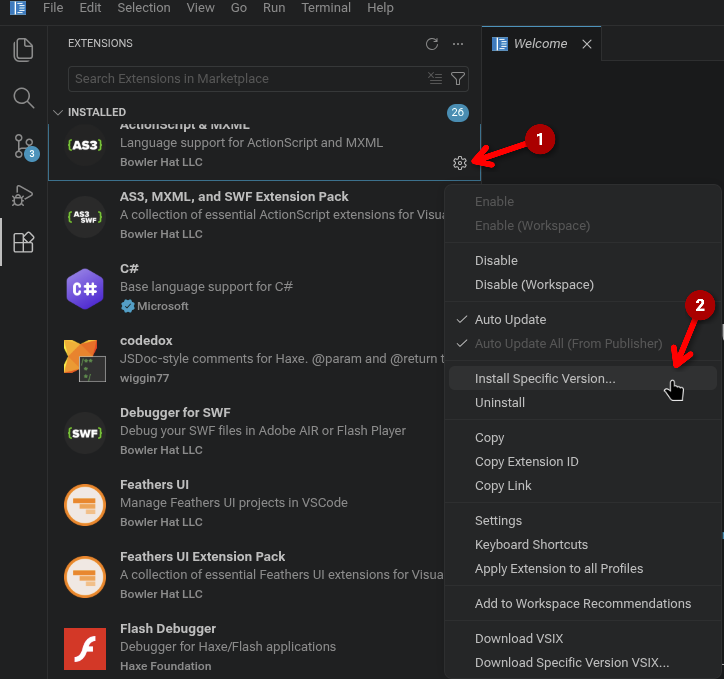
Nothing I shared mentioned “restarting the computer”, or “reinstalling the Chinese language pack”. What I took the time to translate and share with you, was how to switch to it, because you hadn’t mentioned that.
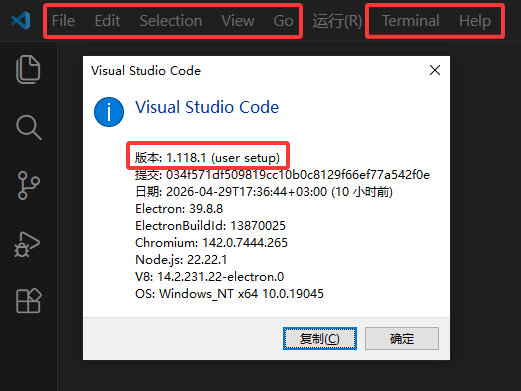
I mean, installing “vs code 1.118.0” and “1.118.1” caused my previous Chinese menu bar to turn into English. I restarted my computer and reinstalled the Chinese language pack, but it didn’t work. I guess it’s a “vs code bug”, I’m not referring to the tutorial you forwarded
This is my own solution, but it doesn’t work. I guess it’s a ‘vs code bug’
Secondly, I have also tried the tutorial you forwarded, but it didn’t work!
‘as3’ and ‘haxe’ are two extension packages that must be installed separately. Installing the ‘haxe’ extension package will not automatically install the ‘as3’ extension package for you
Has there been any recent change in “TexturePackerGUI”? Regarding the changes in ‘starling’, feel free to ask
Oh sorry I see now, you’re referring to @joshtynjala’s extensions I have installed up a bit higher. I was using one in the actual example I likely installed those when I was producing the above mentioned tutorial
But as far as I’m aware, ATF is still not re-supported, but I haven’t checked recently. If a lot more people start using ATF in TexturePacker 6.0.1, they might consider it.
Previously, I provided feedback that the newly released Chinese language packs for versions 1.118.0 and 1.118.1 were not displaying correctly,
So I installed the previous version to solve this problem before.
But just now, the “vs code” menu bar changed to English,
I have reinstalled the ‘vs code’ and Chinese package, but it still doesn’t work.
Based on experience, I guess they fixed the Chinese package and I installed the latest version of ‘vs code’,
The latest version of ‘vs code’ can be displayed normally.
It seems that they have fixed the Chinese language pack so that the latest version can be displayed normally,
But the old version cannot display properly, I am just providing feedback based on what I have found.

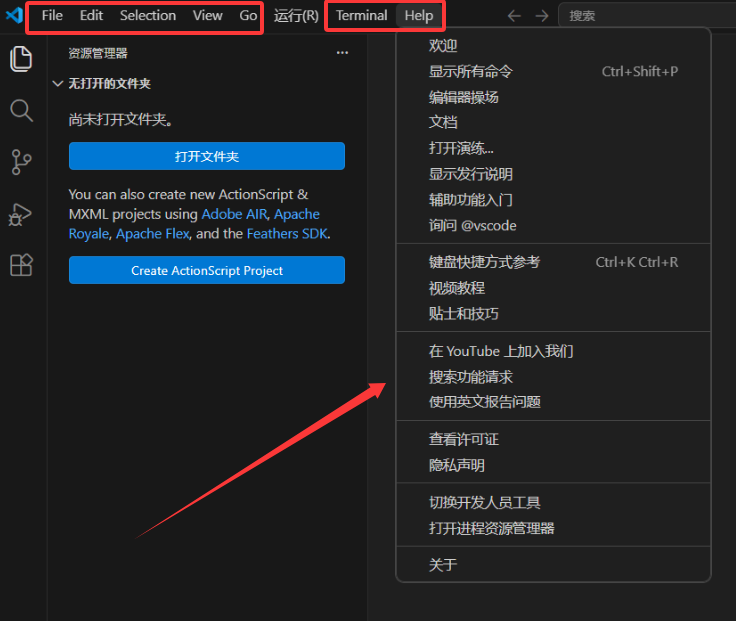
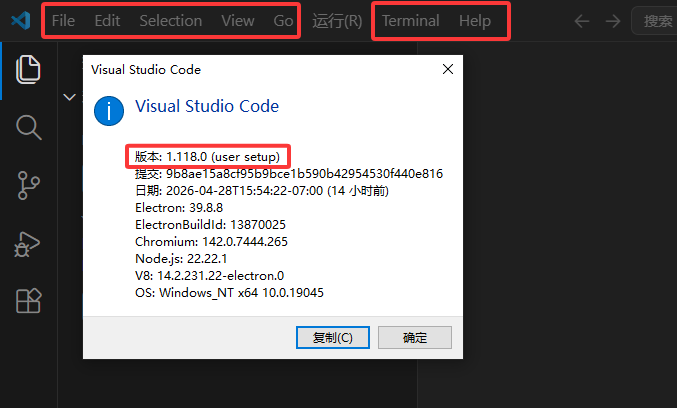

 I likely installed those when I was producing the above mentioned tutorial