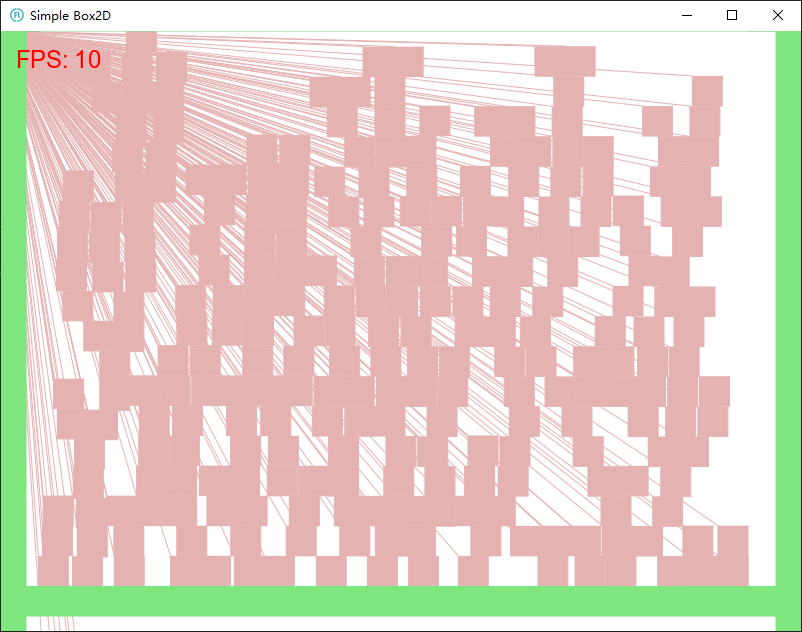
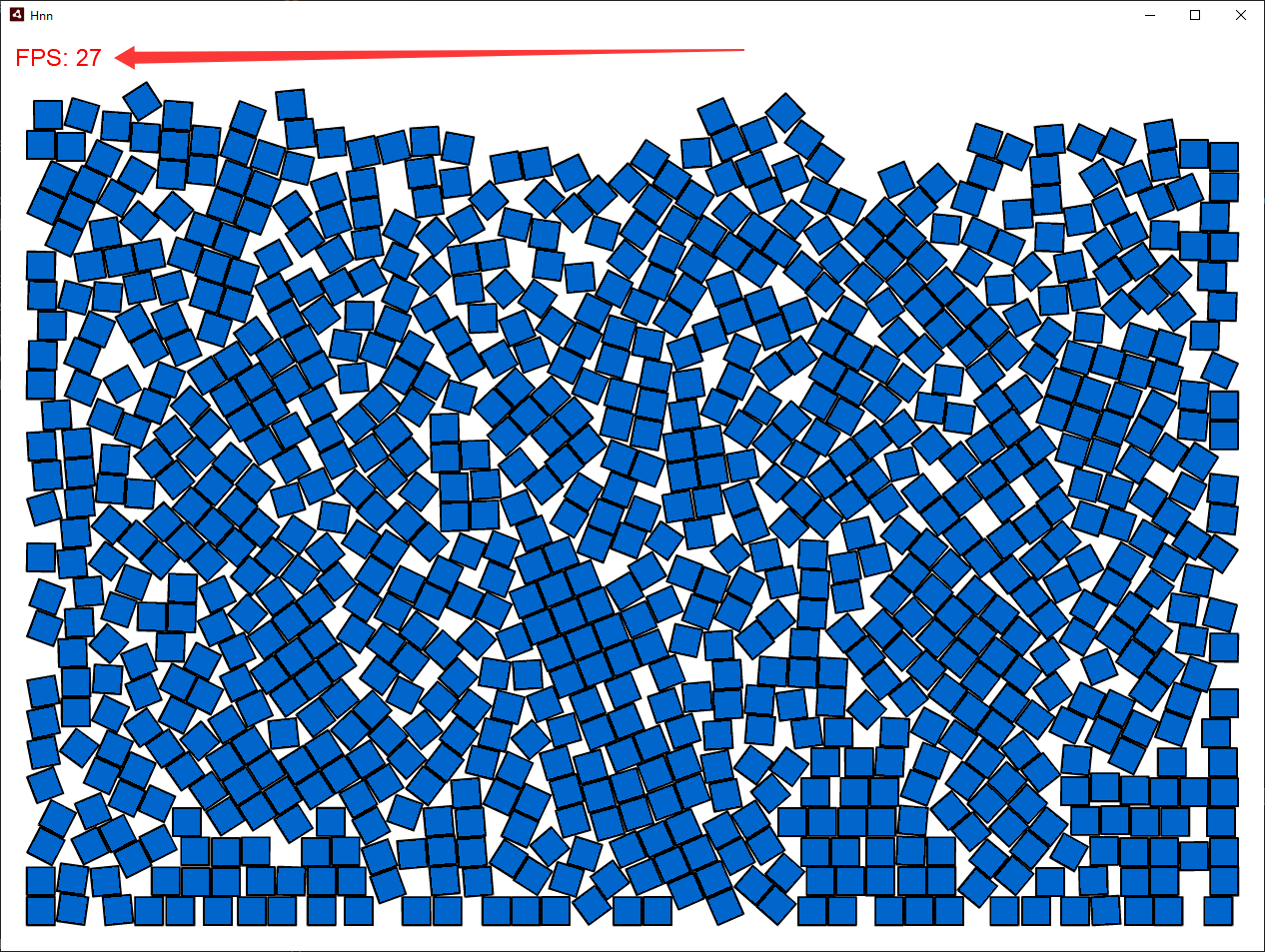
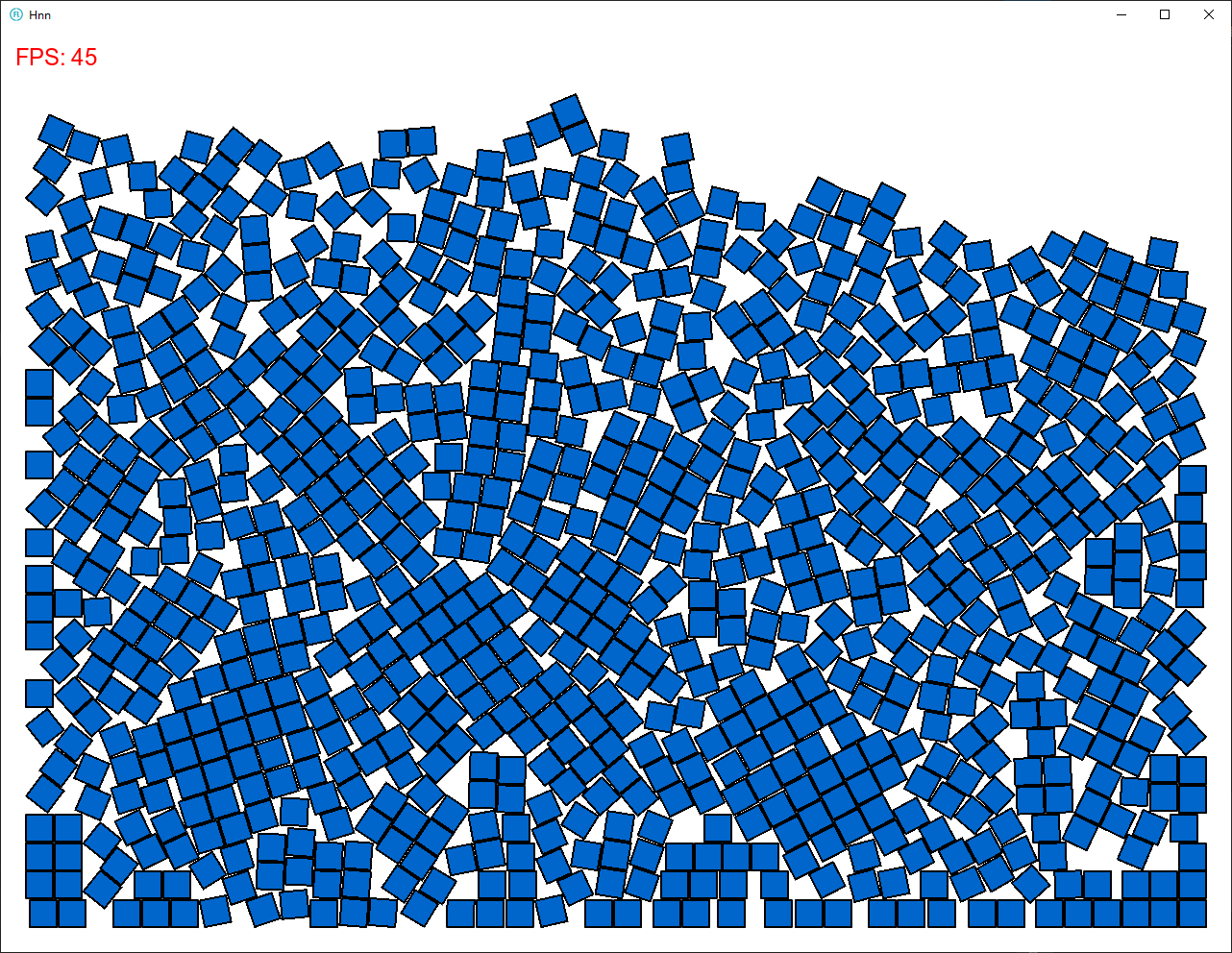
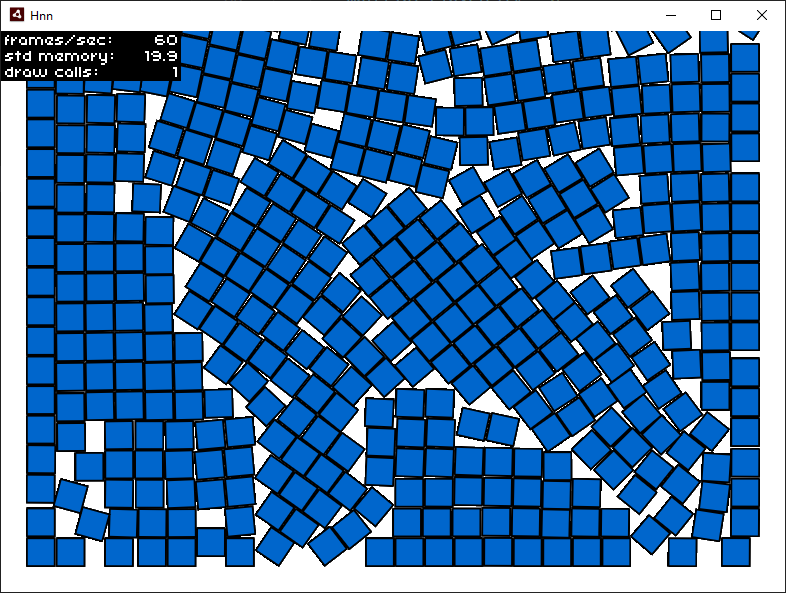
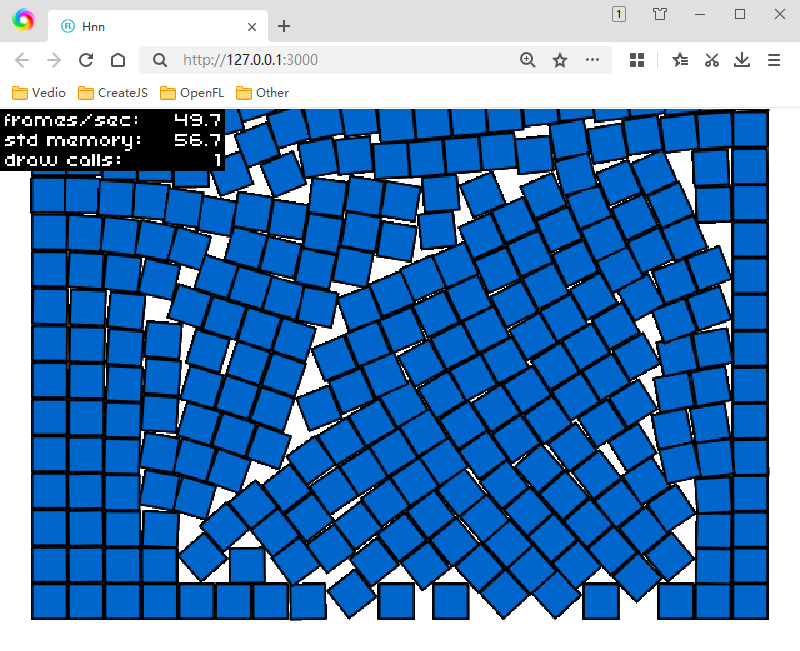
The performance of “box2d” and “nape-haxe4” on the “windows. exe” target is very poor!
nape-haxe4:lime test air
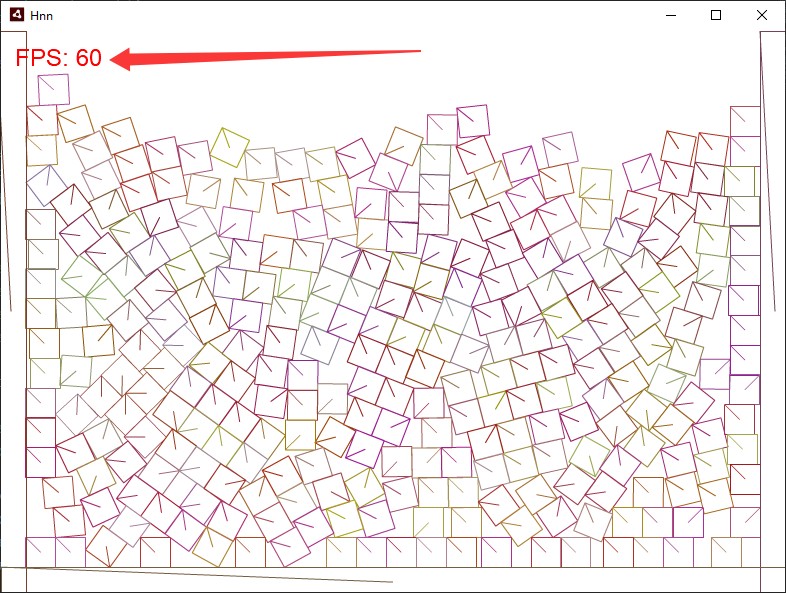
nape-haxe4:lime test windows
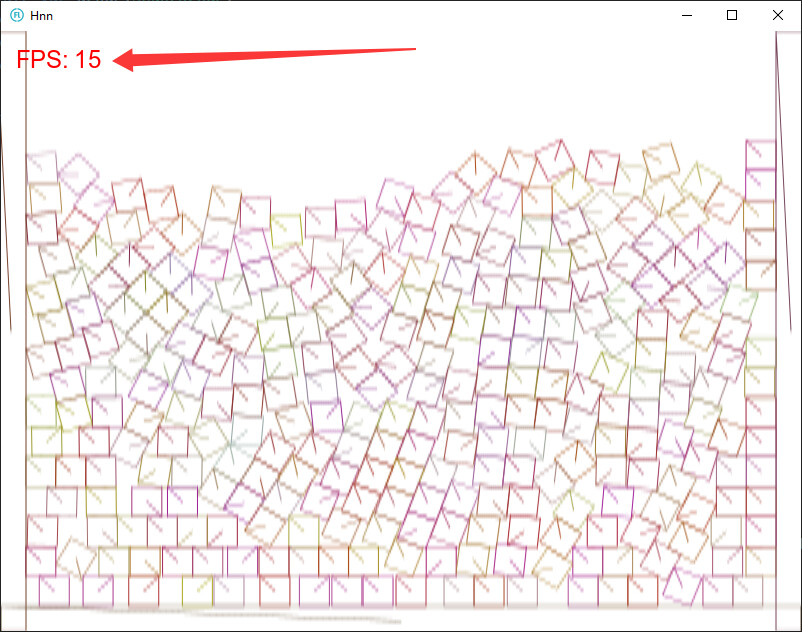
box2d:lime test air
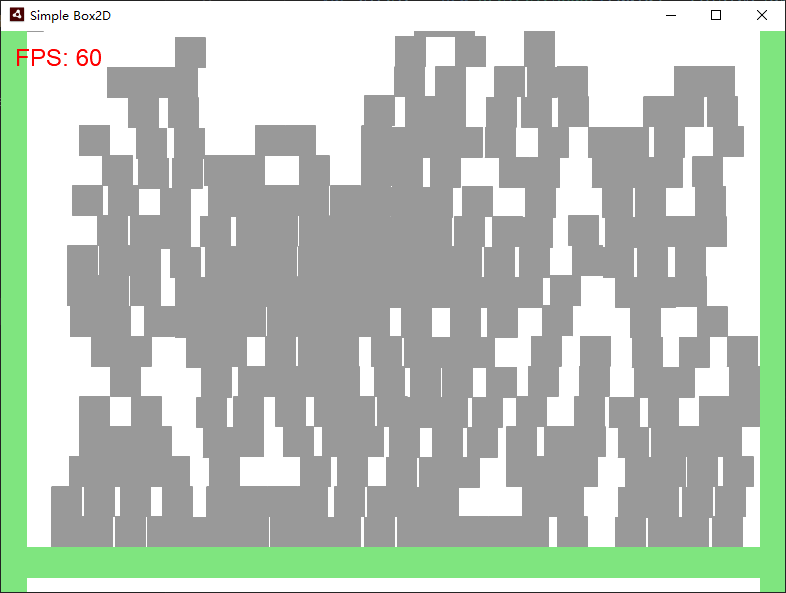
box2d:lime test windows

The performance of “box2d” and “nape-haxe4” on the “windows. exe” target is very poor!
nape-haxe4:lime test air
nape-haxe4:lime test windows
box2d:lime test air
box2d:lime test windows
nape
package;

import openfl.text.TextFieldAutoSize;
import openfl.text.TextFieldType;
import openfl.display.FPS;
import nape.space.Space;
import nape.geom.Vec2;
import nape.phys.Body;
import nape.phys.BodyType;
import nape.phys.Material;
import nape.shape.Polygon;
import nape.util.ShapeDebug;
import openfl.display.Sprite;
import openfl.events.Event;
import openfl.events.MouseEvent;
import openfl.Lib;

class Main extends Sprite {
	private var space:Space;
	private var debug:ShapeDebug;
	private var lastTime:Float;
	private var arr:Array<Body> = [];
	private var ii:Int = 0;

	public function new() {
		super();

		var fps:FPS = new FPS(10, 10, 0xff0000);
		fps.autoSize = TextFieldAutoSize.LEFT;
		fps.scaleX = fps.scaleY = 2;
		stage.addChild(fps);

		#if (air)
		// stage.nativeWindow.width = 1280;
		// stage.nativeWindow.height = 960;
		// stage.nativeWindow.x = (1920 - stage.stageWidth) / 2;
		// stage.nativeWindow.y = (1080 - stage.stageHeight) / 3.2;
		#end
		stage.frameRate = 60;

		var gravity:Vec2 = new Vec2(0, 400);
		space = new Space(gravity);

		var groundBody:Body = new Body(BodyType.STATIC, new Vec2(stage.stageWidth / 2, stage.stageHeight - 10));
		var groundShape:Polygon = new Polygon(Polygon.box(stage.stageWidth, 30));
		groundBody.shapes.add(groundShape);
		groundBody.space = space;

		var groundBody2:Body = new Body(BodyType.STATIC, new Vec2(10, stage.stageHeight / 2));
		var groundShape2:Polygon = new Polygon(Polygon.box(30, stage.stageHeight));
		groundBody2.shapes.add(groundShape2);
		groundBody2.space = space;

		var groundBody3:Body = new Body(BodyType.STATIC, new Vec2(stage.stageWidth - 10, stage.stageHeight / 2));
		var groundShape3:Polygon = new Polygon(Polygon.box(30, stage.stageHeight));
		groundBody3.shapes.add(groundShape3);
		groundBody3.space = space;

		debug = new ShapeDebug(stage.stageWidth, stage.stageHeight);
		debug.thickness = 1;
		addChild(debug.display);

		stage.addEventListener(MouseEvent.MOUSE_DOWN, onMouseDown);
		addEventListener(Event.ENTER_FRAME, function(_) {
			ii++;
			if (ii < 300) {
				onMouseDown(null);
			}
		});
		addEventListener(Event.ENTER_FRAME, loop);
		lastTime = Lib.getTimer();
	}

	private function onMouseDown(e:MouseEvent):Void {
		var body:Body = new Body(BodyType.DYNAMIC, new Vec2(Math.random() * stage.stageWidth, 100));
		// body.gravMass = 0;
		var size:Float = Math.random() * 30 + 20;
		var shape:Polygon = new Polygon(Polygon.box(30, 30));
		// arr.push(body);
		body.shapes.add(shape);

		var material:Material = new Material();
		material.elasticity = 0;
		shape.material = material;
		body.space = space;
	}

	private function loop(e:Event):Void {
		space.step(1 / 30, 10, 10);
		debug.clear();
		debug.draw(space);
	}
}
box2d
package;

import openfl.text.TextFieldAutoSize;
import openfl.display.FPS;
import box2D.collision.shapes.B2CircleShape;
import box2D.collision.shapes.B2PolygonShape;
import box2D.common.math.B2Vec2;
import box2D.dynamics.B2Body;
import box2D.dynamics.B2BodyDef;
import box2D.dynamics.B2DebugDraw;
import box2D.dynamics.B2FixtureDef;
import box2D.dynamics.B2World;
import openfl.display.Sprite;
import openfl.display.StageAlign;
import openfl.display.StageScaleMode;
import openfl.events.Event;

class Main extends Sprite {
	private static var PHYSICS_SCALE:Float = 1 / 30;

	private var PhysicsDebug:Sprite;
	private var World:B2World;
	private var ii:Int = 0;

	public function new() {
		super();

		var fps:FPS = new FPS(10, 10, 0xff0000);
		fps.autoSize = TextFieldAutoSize.LEFT;
		fps.scaleX = fps.scaleY = 2;
		stage.addChild(fps);

		#if (air)
		// stage.nativeWindow.width = 1280;
		// stage.nativeWindow.height = 960;
		// stage.nativeWindow.x = (1920 - stage.stageWidth) / 2;
		// stage.nativeWindow.y = (1080 - stage.stageHeight) / 3.2;
		#end

		stage.frameRate = 60;

		World = new B2World(new B2Vec2(0, 10.0), true);

		PhysicsDebug = new Sprite();
		addChild(PhysicsDebug);

		var debugDraw = new B2DebugDraw();
		debugDraw.setSprite(PhysicsDebug);
		debugDraw.setDrawScale(1 / PHYSICS_SCALE);
		debugDraw.setFlags(B2DebugDraw.e_shapeBit);

		World.setDebugDraw(debugDraw);

		createBox(stage.stageWidth / 2, stage.stageHeight - 30, stage.stageWidth, 30, false);

		createBox(10, stage.stageHeight / 2, 30, stage.stageHeight, false);
		createBox(stage.stageWidth - 10, stage.stageHeight / 2, 30, stage.stageHeight, false);

		addEventListener(Event.ENTER_FRAME, this_onEnterFrame);
	}

	private function onMouseDown(e):Void {
		createBox(Math.random() * stage.stageWidth, -100, 30, 30, true);
	}

	private function createBox(x:Float, y:Float, width:Float, height:Float, dynamicBody:Bool):Void {
		var bodyDefinition = new B2BodyDef();
		bodyDefinition.position.set(x * PHYSICS_SCALE, y * PHYSICS_SCALE);

		if (dynamicBody) {
			bodyDefinition.type = B2Body.b2_dynamicBody;
		}

		var polygon = new B2PolygonShape();
		polygon.setAsBox((width / 2) * PHYSICS_SCALE, (height / 2) * PHYSICS_SCALE);

		var fixtureDefinition = new B2FixtureDef();
		fixtureDefinition.shape = polygon;

		var body = World.createBody(bodyDefinition);
		body.createFixture(fixtureDefinition);
	}

	private function createCircle(x:Float, y:Float, radius:Float, dynamicBody:Bool):Void {
		var bodyDefinition = new B2BodyDef();
		bodyDefinition.position.set(x * PHYSICS_SCALE, y * PHYSICS_SCALE);

		if (dynamicBody) {
			bodyDefinition.type = B2Body.b2_dynamicBody;
		}

		var circle = new B2CircleShape(radius * PHYSICS_SCALE);

		var fixtureDefinition = new B2FixtureDef();
		fixtureDefinition.shape = circle;

		var body = World.createBody(bodyDefinition);
		body.createFixture(fixtureDefinition);
	}

	// Event Handlers

	private function this_onEnterFrame(event:Event):Void {
		World.step(1 / 30, 10, 10);
		World.clearForces();
		World.drawDebugData();

		ii++;
		if (ii < 300) {
			onMouseDown(null);
		}
	}
}
How’s it go with:
openfl test cpp -release
Or:
openfl test hl -release
I have already tested it,
In the ‘Tuning Drawing’ mode, these command lines are the same
I tested it again,
I have identified the problem,
Poor performance of “html5 window” in “tuning drawing” mode
The impact of ‘air’ is minimal, so its performance can be improved
When I turned off ‘Tuning Drawing’,
The performance of ‘window exe’ is higher than that of ‘air’
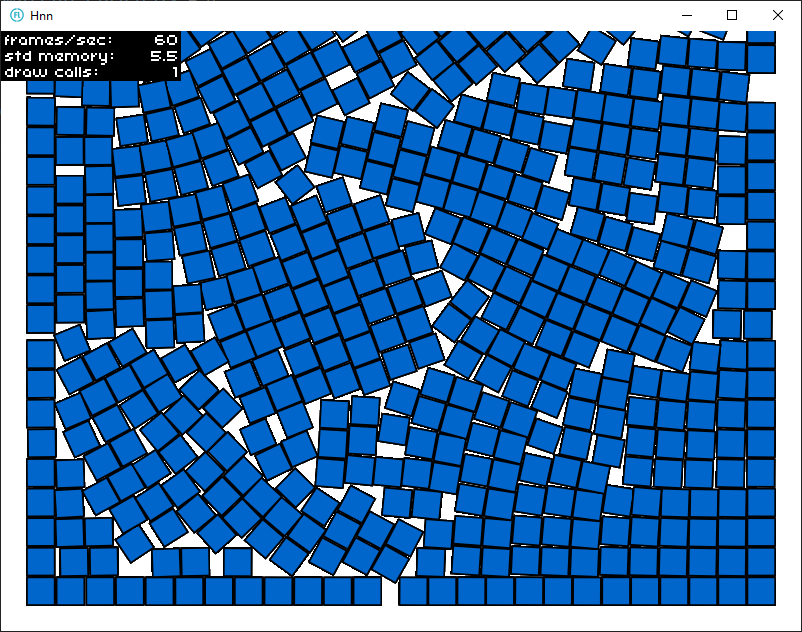
Close ‘Tuning Drawing’ and use ‘openfl. Bitmap’
lime test air
lime test windows
The blue square is “openfl. Bitmap”,
Debugging Drawing has been turned off
project.xml
<?xml version="1.0" encoding="utf-8"?>
<project>

	<meta title="Hnn" package="com.sample.hnn" version="1.0.0" company="Company Name" />
	<app main="Main" path="Export" file="Hnn" />


	<window width="1280" height="960" fps="60" />

	<source path="Source" />

	<haxelib name="openfl" />
	<haxelib name="nape-haxe4" />
	<assets path="imgg/ff.png" embed="true"/>

</project>
Main.hx
package;

import openfl.display.Bitmap;
import openfl.Assets;
import openfl.text.TextFieldAutoSize;
import openfl.text.TextFieldType;
import openfl.display.FPS;
import nape.space.Space;
import nape.geom.Vec2;
import nape.phys.Body;
import nape.phys.BodyType;
import nape.phys.Material;
import nape.shape.Polygon;
import nape.util.ShapeDebug;
import openfl.display.Sprite;
import openfl.events.Event;
import openfl.events.MouseEvent;
import openfl.Lib;

class Main extends Sprite {
	private var space:Space;
	private var debug:ShapeDebug;
	private var lastTime:Float;
	private var arr:Array<Body> = [];
	private var ii:Int = 0;

	public function new() {
		super();

		var fps:FPS = new FPS(10, 10, 0xff0000);
		fps.autoSize = TextFieldAutoSize.LEFT;
		fps.scaleX = fps.scaleY = 2;
		stage.addChild(fps);

		#if (air)
		// stage.nativeWindow.width = 1280;
		// stage.nativeWindow.height = 960;
		// stage.nativeWindow.x = (1920 - stage.stageWidth) / 2;
		// stage.nativeWindow.y = (1080 - stage.stageHeight) / 3.2;
		#end
		stage.frameRate = 60;

		var gravity:Vec2 = new Vec2(0, 400);
		space = new Space(gravity);

		var groundBody:Body = new Body(BodyType.STATIC, new Vec2(stage.stageWidth / 2, stage.stageHeight - 10));
		var groundShape:Polygon = new Polygon(Polygon.box(stage.stageWidth, 30));
		groundBody.shapes.add(groundShape);
		groundBody.space = space;

		var groundBody2:Body = new Body(BodyType.STATIC, new Vec2(10, stage.stageHeight / 2));
		var groundShape2:Polygon = new Polygon(Polygon.box(30, stage.stageHeight));
		groundBody2.shapes.add(groundShape2);
		groundBody2.space = space;

		var groundBody3:Body = new Body(BodyType.STATIC, new Vec2(stage.stageWidth - 10, stage.stageHeight / 2));
		var groundShape3:Polygon = new Polygon(Polygon.box(30, stage.stageHeight));
		groundBody3.shapes.add(groundShape3);
		groundBody3.space = space;

		debug = new ShapeDebug(stage.stageWidth, stage.stageHeight);
		debug.thickness = 1;
		addChild(debug.display);

		stage.addEventListener(MouseEvent.MOUSE_DOWN, onMouseDown);
		addEventListener(Event.ENTER_FRAME, function(_) {
			ii++;
			if (ii < 900) {
				onMouseDown(null);
			}
		});
		addEventListener(Event.ENTER_FRAME, loop);
		lastTime = Lib.getTimer();
	}

	private var dds:Array<Body> = [];

	private function onMouseDown(e:MouseEvent):Void {
		var da = Assets.getBitmapData("imgg/ff.png");
		var tp = new Bitmap(da);
		Lib.current.stage.addChild(tp);

		var body:Body = new Body(BodyType.DYNAMIC, new Vec2(Math.random() * stage.stageWidth, 100));
		body.userData.aa = tp;
		// body.gravMass = 0;
		var size:Float = Math.random() * 30 + 20;
		var shape:Polygon = new Polygon(Polygon.rect(0, 0, 30, 30));
		// arr.push(body);
		body.shapes.add(shape);

		var material:Material = new Material();
		material.elasticity = 0;
		shape.material = material;
		dds.push(body);
		body.space = space;
	}

	private function loop(e:Event):Void {
		space.step(1 / 30, 30, 30);
		// debug.clear();
		// debug.draw(space);

		for (i in 0...dds.length) {
			var body:Body = dds[i];

			var graphic:Bitmap = body.userData.aa;

			// 假设 graphic 的锚点在中心
			if (graphic != null) {
				graphic.x = body.position.x;
				graphic.y = body.position.y;

				// Nape 的角度是弧度,如果图片需要角度,通常需要转换
				graphic.rotation = body.rotation * 180 / Math.PI;
			}
		}
	}
}
The previous test quantity was 300,
The current quantity is 900
I just did another test,
Firstly, the window size is the same.
As more and more image blocks fall,
The window size space will be occupied by image blocks.
In this way, the newly added image blocks will push each other apart,
This process consumes a lot of performance.
My computer was bought before 2011, and the motherboard is still “DDR3”,
Let’s see how many image blocks each target platform can run on the same screen.
lime test windows 700
lime test air 550
lime test html5 420
Lime is slow. Compile to CPP and performance will be much better.
When the target iswindows (and mac and linux), cpp is the default:
lime help test
(windows|mac|linux) -cpp -- Build with C++ (default behavior)
The good performance on the “Windows” target is due to turning off “debug drawing”,
These two physics engines have issues debugging graphics on “Windows and HTML5” and need to be fixed!
Yeah, I think it’s only the debug visualizations that are slow. If I had to guess, the debug view in both engines is drawing every shape to a single sprite.graphics. OpenFL draws most vector graphics using Canvas or Cairo in software, which then needs to be uploaded to a hardware texture to render. There are some exceptions that can be optimized to draw entirely in hardware, like simple drawRect fills with no lineStyle, but I’m pretty sure that both engines are using fills with strokes in their debug views. A texture the size of the stage getting uploaded every frame as the physics engine updates will be pretty expensive.