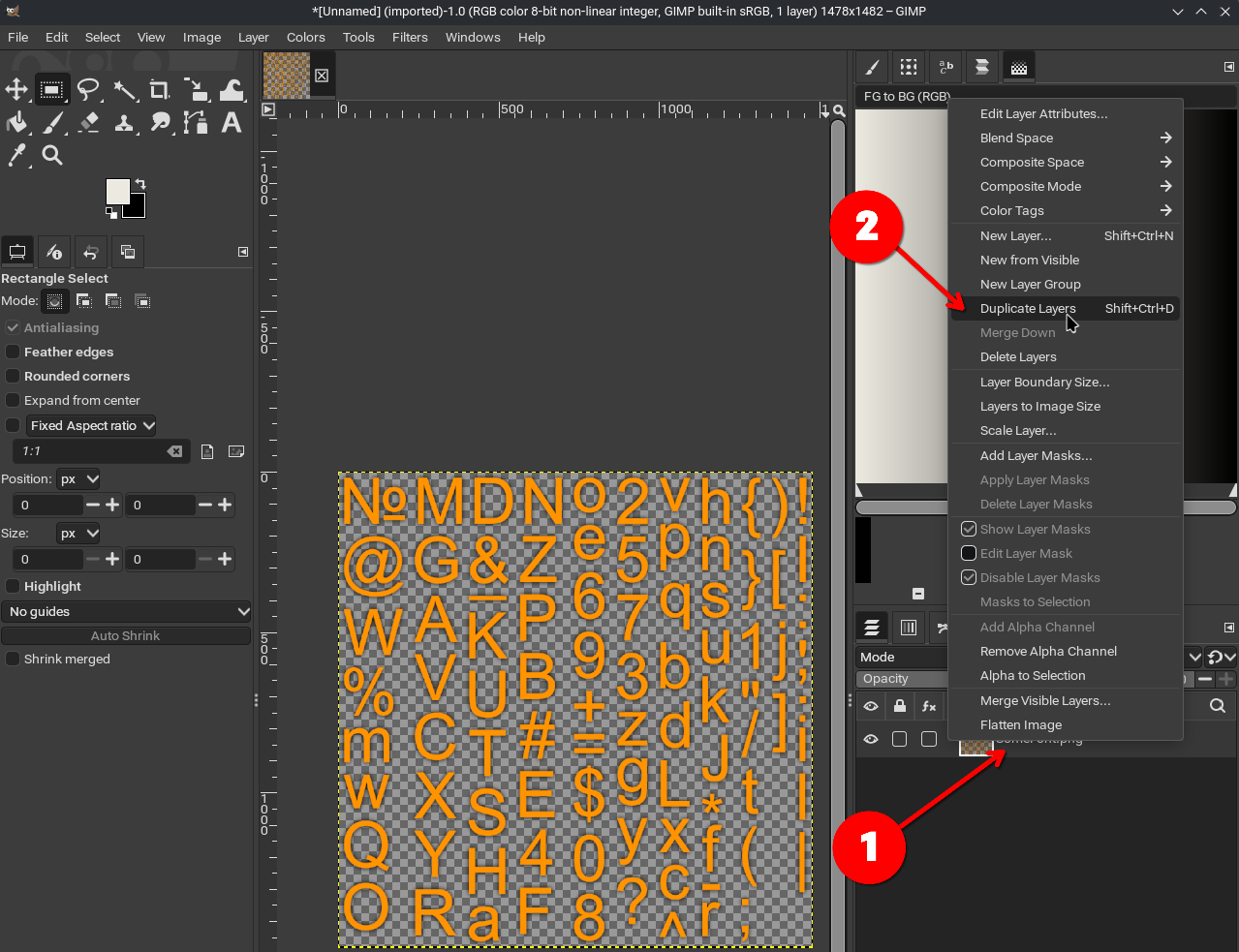
To duplicate the layer in Gimp (and likely similar process in other software), right-click on the layer and go to Duplicate Layers.
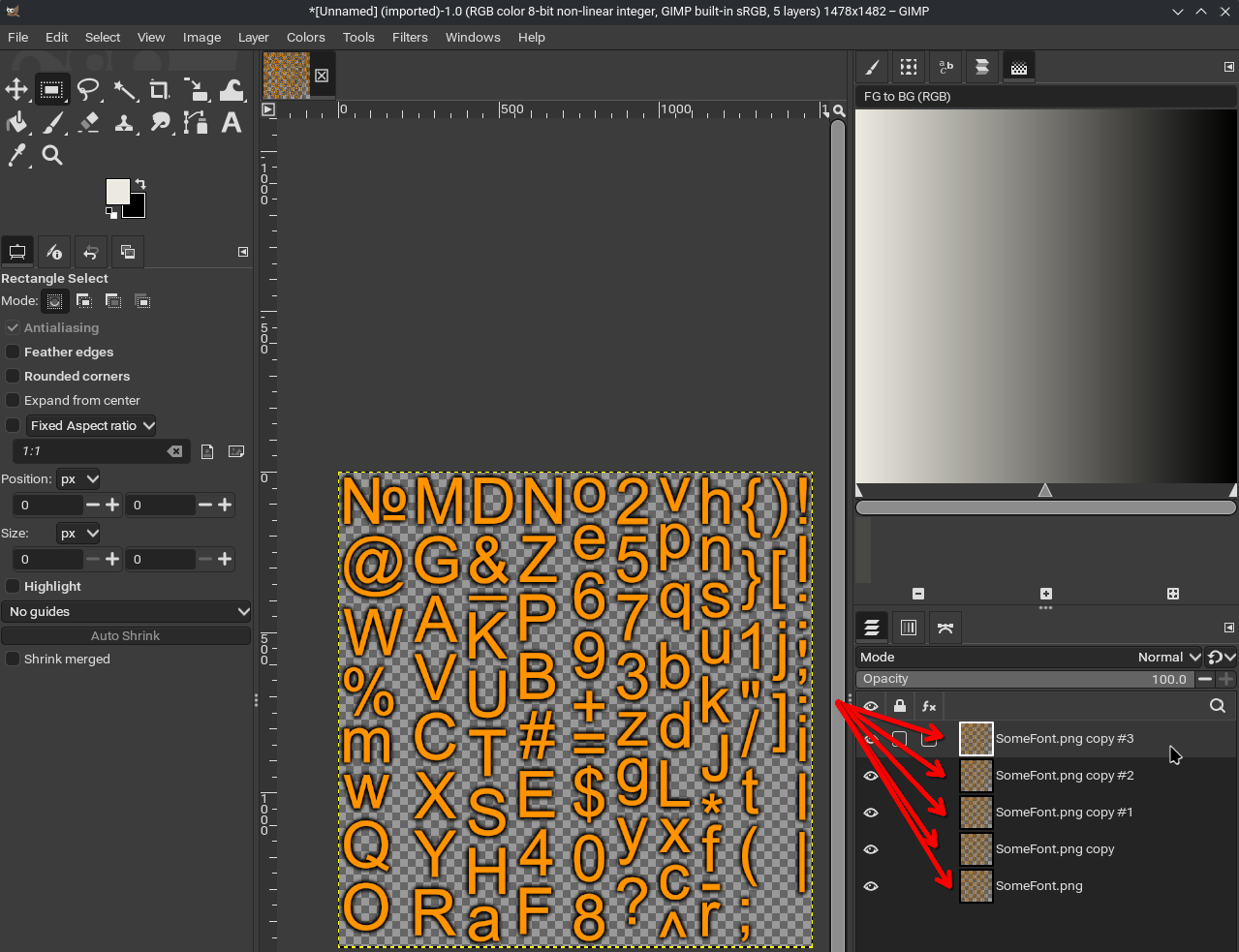
Keep doing that till you’re happy with the intensity.
Go to File > Export As, then save it as a PNG with alpha.

To duplicate the layer in Gimp (and likely similar process in other software), right-click on the layer and go to Duplicate Layers.
Keep doing that till you’re happy with the intensity.
Go to File > Export As, then save it as a PNG with alpha.