@joshtynjala
@Bink
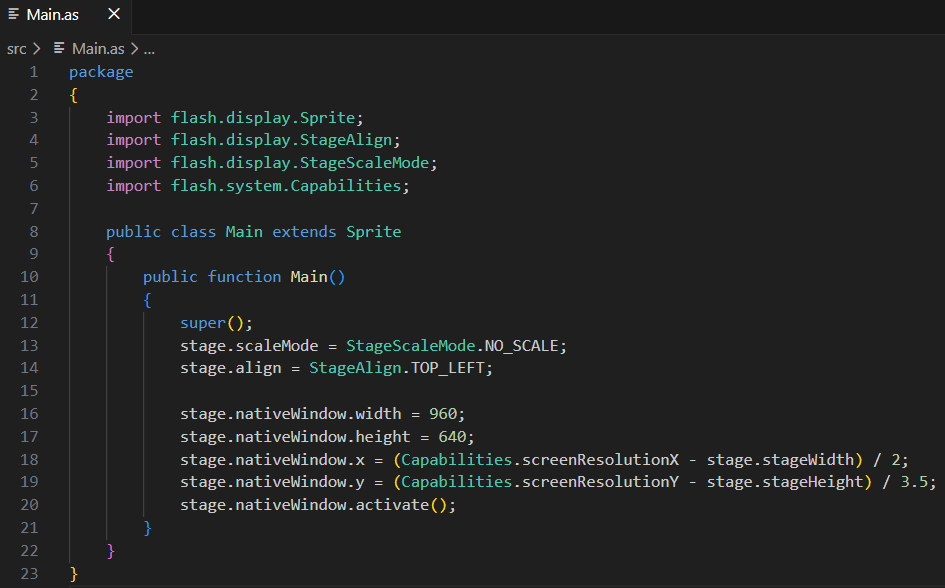
Is the “as3 extension” in “vs code” not highlighted in code color?
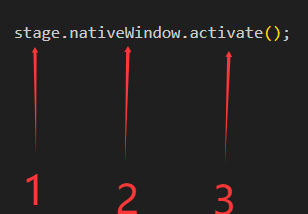
Do many built-in keyword methods and properties not have color highlighting?
1, 2, and 3 are all one color!
Is the author considering adding more built-in keyword attributes and color highlighting support for methods?
No, I do not plan to add any additional syntax coloring to vscode-as3mxml.
All language keywords are highlighted (like class, var, function, for, if, etc.). Historically, some ActionScript editors highlighted additional core APIs, like stage or gotoAndPlay() differently than other variables or methods. However, I never liked that, and I treat all variables and methods equally.
Literal values for things like numbers, strings, booleans, and regexp are highlighted too.
Class names used as types in variable declarations and with the new, is, and as keywords are highlighted.
Taking a quick look at some other languages in VSCode, I see that it is common to highlight the name of a method that is being called. I observe this in Java, TypeScript, and Haxe. Perhaps I can add that, if it is not too difficult.
I am open to considering other specific suggestions.
1 Like
@joshtynjala
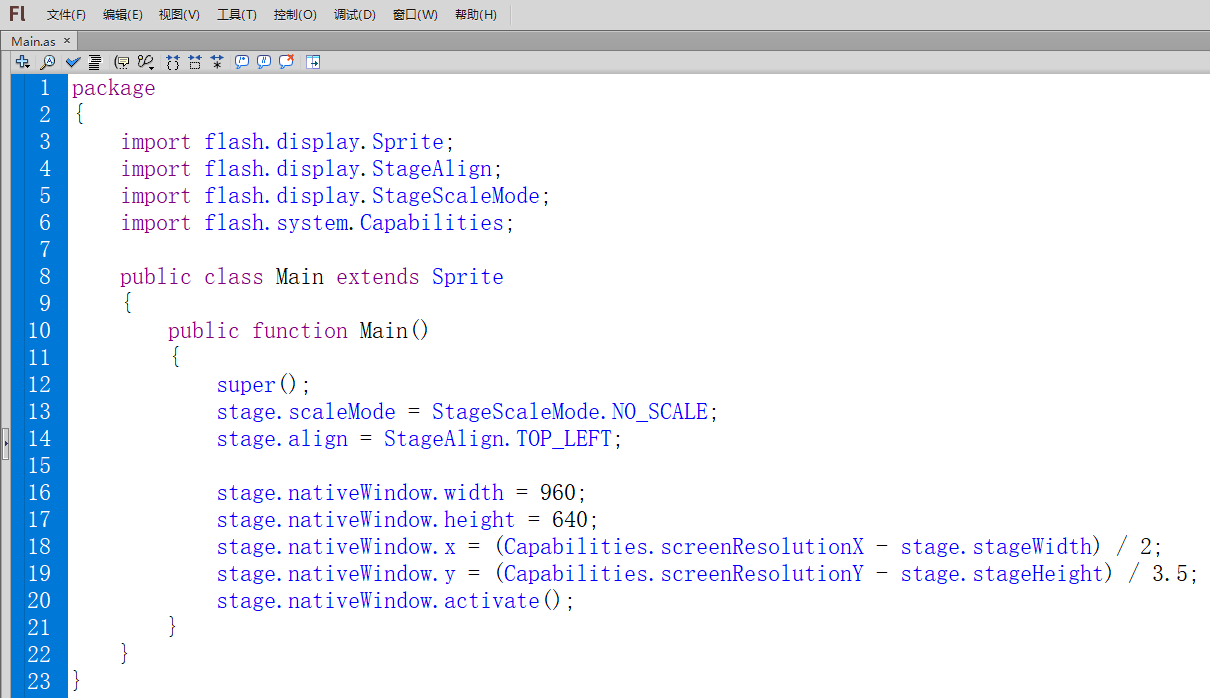
At first, I used “flash cs6” and I was used to highlighting colors.
@joshtynjala
I’ll just say a few words
'stage ‘is a built-in keyword,’ nativeWindow ‘is a built-in property, and’ activate ‘is a built-in method. In’ flash cs6 ', all internal keywords are highlighted in blue and purple
Flash CS6 “is the best color highlight display among all” Flash “series, followed by” an cc 2018 “and” an 2020 “. Starting from” an 2020 “, the color highlight display was weakened, and by” an 2024 “, there were no code API prompts, but” as3 “could still be compiled, so I have been using” an 2023 "