How to switch the wayland backend in lime?
Will lime support wayland by default?

How to switch the wayland backend in lime?
Will lime support wayland by default?
I tried setting the SDL_VIDEODRIVER=wayland environment variable, and I can confirm that it attempts to use Wayland then.
$ export SDL_VIDEODRIVER=wayland
$ echo $SDL_VIDEODRIVER
wayland
$ openfl test hl
AL lib: (EE) Invalid header in Default HRTF: "MinPHR03"
AL lib: (EE) Failed to load Default HRTF
Could not initialize SDL: wayland not available.
Could not create SDL window: wayland not available.
../starling/src/starling/core/Starling.hx:619: [Starling] Stage3D error: Context3D not available
However, SDL failed to initialise, saying wayland not available. I am certainly running Wayland though.
$ inxi -G --za
Graphics:
  Device-1: NVIDIA GA104GL [RTX A4000] driver: nvidia v: 595.58.03
  Display: wayland server: X.Org v: 24.1.10 with: Xwayland v: 24.1.10
    compositor: kwin_wayland driver: X: loaded: nvidia unloaded: modesetting
    gpu: nv_platform,nvidia,nvidia-nvswitch resolution: 1: 3840x2160~60Hz
    2: 3200x1800~144Hz
  API: EGL v: 1.5 drivers: nvidia,swrast
    platforms: gbm,x11,surfaceless,device
  API: OpenGL v: 4.6.0 compat-v: 4.5 vendor: nvidia mesa v: 595.58.03
    renderer: NVIDIA RTX A4000/PCIe/SSE2
  API: Vulkan v: 1.4.341 drivers: nvidia surfaces: N/A
  Info: Tools: api: clinfo, eglinfo, glxinfo, vulkaninfo
    de: kscreen-console,kscreen-doctor gpu: nvidia-settings,nvidia-smi
    wl: wayland-info x11: xdpyinfo, xprop, xrandr
Seems there might be more to getting SDL to behave. There’s some discussion on that here:
I suspect there’s quite a bit more to it than that.
Lime I expect, will require some significant updates to enable Wayland support, and access to Wayland protocols via new includes.
It would seem some preliminary placeholder work has been done, but there’s more to do:
I agree with you.
lime still has many problems that it cannot solve on its own. Take compiling Windows applications as an example. This process requires providing the ".res “and”.manifest "files, and a few lines of code need to be added in the msvc toolchain of the hxcpp library. Because of this, this work has to be handled by the developers themselves.
Brave AI: “why wayland is doomed to fail”
The assertion that Wayland is “doomed to fail” is a perspective held by some Linux users and developers who argue that its strict security model and protocol design create insurmountable barriers for power users and developers, rather than a consensus that it will fail technically.
Arguments for Failure
Destructive Security Model: Critics argue Wayland prioritizes theoretical security over functionality by amputating legitimate features like global keyboard input, window positioning control, and cross-application screen capture. This breaks essential workflows for automation tools (e.g., xdotool), graphics debugging (RenderDoc), and password managers (auto-type), which cannot be easily restored without compromising the protocol’s core isolation.
Ecosystem Fragmentation: Unlike X11’s single server, Wayland requires each Desktop Environment (GNOME, KDE, wlroots) to implement its own compositor with different extensions and bugs. This forces developers to test against multiple, contradictory implementations, increasing support costs and causing features like screen recording or clipboard access to work inconsistently across different Linux distributions.
Broken Developer Workflows: Despite 15 years of development, core productivity tools remain broken or require complex workarounds. Major projects like JetBrains IDEs and emulators (e.g., PCSX2) still face significant compatibility issues, with some developers refusing to support Wayland due to the unsustainable burden of maintaining separate, fragmented backends.
Counter-Perspective and Current Status
Adoption Growth: Wayland has become the default display server on major distributions like Fedora, Ubuntu, and Kali, achieving 40-60% market share among Linux desktop users by 2026. It is widely praised for solving X11’s fundamental issues with screen tearing and providing smoother, more secure compositing for general desktop use.
Architectural Trade-off: Proponents view the loss of X11 features not as a failure, but as a necessary trade-off for modern security and performance. They argue that X11’s era of network transparency is obsolete in the cloud-native age, and that features like global input grabbing are security risks that should not exist by default.
In summary, while Wayland is technically succeeding in becoming the standard Linux display protocol, it faces significant usability and fragmentation challenges that lead some users to believe it is “doomed” to fail in satisfying power users and developers who rely on the flexibility X11 provided.
AI-generated answer. Please verify critical facts.
Ok, now ask Brave AI, “why wayland isn’t doomed to fail”.
Beware, it might just be telling you what it thinks you want to hear, based on the presuppositions being fed to it.
I don’t care whether X11 or Wayland is better or worse. I just don’t like XWayland.
“Ok, now ask Brave AI, “why wayland isn’t doomed to fail”. Beware, it might just be telling you what it thinks you want to hear” → Hence, why it’s pointless to ask Brave AI for a feel good answer such as this one if you’re looking for “what’s wrong with that particular thing”.
This → is the better question: Brave AI: “Lime support for wayland”
Based on the search context, Lime (specifically the Lime framework for OpenFL) currently does not have official or default support for Wayland.
Current Status: Users attempting to switch the Wayland backend in Lime by setting the SDL_VIDEODRIVER=wayland environment variable have reported that SDL fails to initialize, stating “wayland not available.”
Technical Hurdle: While Lime can attempt to use Wayland, it encounters initialization errors similar to those found in SDL, suggesting a lack of stable integration in the current Lime/SDL stack for Wayland sessions.
Workarounds: There is no documented stable workaround within the Lime framework itself; users typically rely on X11 or XWayland compatibility layers, as direct Wayland support remains a feature request rather than a implemented feature.
AI-generated answer. Please verify critical facts.
Brave AI: “why Wayland support is problematic for SDL”
Wayland support is problematic for SDL (Simple DirectMedia Layer) primarily because Wayland lacks essential protocols required for stable graphical performance, such as fifo_v1, which is necessary for clients to communicate frame presentation modes like MAILBOX to the compositor.
Missing Protocols: Without the fifo_v1 protocol, SDL clients must stall for the ‘frame’ callback after presenting an image, leading to subtle rendering breaks and frame timing regressions compared to X11.
Compositor Dependency: Current workarounds, such as those used in SteamOS via Gamescope, rely on custom implementations of these missing protocols, which are not yet standard across all Wayland compositors.
Developer Stance: Due to these fundamental gaps, key figures like Valve employees have indicated that Wayland is not yet ready to be the default backend for SDL 3.0, preferring X11 stability until Wayland implements the necessary intermediate components.
AI-generated answer. Please verify critical facts.
It’s not a matter of “like” of “don’t like”, it’s a matter of “Wayland support is problematic for SDL (Simple DirectMedia Layer) primarily because Wayland lacks essential protocols required for stable graphical performance, such as fifo_v1, which is necessary for clients to communicate frame presentation modes like MAILBOX to the compositor.”
Agree 100% 
That was really the only point I was trying to make there.
I was happy switching between X11 and Wayland as tasks required, at least until Plasma removed X11 support and I haven’t bothered to manually re-install it. Plasma Wayland by default utilises more GPU resources for acceleration, which sometimes got in the way of 3D or video work, that was heavily GPU dependant, hence switching to X11 for those tasks. I’m now able to manage that in Wayland though, switching off all the GPU acceleration in the DE and various apps, so it’s not an issue anymore.
SDL3 only prefers Wayland if FIFO and commit-timing protocols are available, which is a reasonable solution that was presented more than two years ago.
Both KDE Plasma and Gnome have implemented FIFO for over a year now. Maybe others too, but these are the big players in Linux desktop land. Gnome also already supports the commit-timing protocol.
KDE Plasma support for the commit-timing protocol also looks to be in the works:
So the check-list is getting ticked off. It’s been a rough road, I’ve felt that first hand as a Nvidia user. But it’s hardly a question of “why wayland is doomed to fail” is it?
Fascinating.
The problem is still that the SDL version included in Lime 8.3.1 is 2.30.12. And that SDL version has Wayland implementation problems.
Barve AI: “SDL 2.30.12 problem with Wayland”
SDL 2.30.12 does not have a unique, isolated problem with Wayland; rather, it is subject to the same third-party compatibility issues that caused the library to revert its Wayland preference back to X11 in 2022.
Key issues affecting SDL 2.30.x on Wayland include:
Third-Party Software Conflicts: Problems with NVIDIA drivers, libwayland event overflow, libdecor plugin load failures, and the Steam overlay not functioning correctly often make X11/XWayland the more stable default choice for many users.
Window Decorations: Non-GTK/Qt applications may face challenges with window decorations under GNOME Wayland, although SDL developers have been working on integrating libdecor to handle this more gracefully in recent versions.
Scaling and Input: Users may encounter fractional scaling inaccuracies or touch input bugs if the X11 backend is forced via XWayland, which is why some users manually set SDL_VIDEODRIVER=wayland to achieve better performance and native integration.
To force Wayland mode if needed, you can use the environment variable SDL_VIDEODRIVER=wayland. For games that specifically prefer Wayland, developers can set the hint SDL_SetHint(SDL_HINT_VIDEODRIVER, "wayland,x11") before initialization.
AI-generated answer. Please verify critical facts.
Now maybe there’s a workaround here, “maybe”: [Feature request] Wayland support · Issue #1869 · openfl/lime · GitHub
I just spent the last post contradicting the conclusions of the previous Brave AI generated post with actual data, and the response is another AI generated post.
Maybe this time it’ll be right! 
“Wayland works fine ! Wayland works just fine!”
Yeah sure, we can all see how switching to Wayland works just fine, hence why we’re contemplating this entire thread here “”
Next time, try to read the entire answer and you might find the solution.
“Might”.
No one here has said that, or even remotely implied it.
I got tired of reading and responding to the AI opinion. I’m sure you’d understand if rather than engaging with you, I just copy-pasted unverified AI talking points to you. Call me old fashioned.
Now as for whether or not I’m reading the entire answer, you might note I shared that link earlier:
But all that said, I’m happy to continue with discussion and such. I understand Wayland has its issues, and the road ahead for Lime is likely not a simple one with respect to SDL.
The AI “opinion” is factual, in fact it’s not an opinion it crawls the web and makes a synthesis of the results, and the results clearly show that Wayland fragmentation related issues are a massive PITA for developers, since a while, and that the core of the problem when it comes to Lime is related to SDL2 having a hard time dealing with Wayland.
So while switching to Wayland seems theoretically possible, at least for displaying a bitmap, I strongly suspect that the “hack”/solution in the link above will lead to unforeseen problems, regarding inputs handling for instance, and god-only-knows what else. And that, is my opinion, for what it’s worth… But what do I know?
That “hack”/solution, in the link above, is there since 2024, but for some reason it obviously hasn’t been implemented in Lime. Why is that ? Well probably because there are problems with it, but again that’s just my opinion. We all have opinions.
So ? So I’m going to throw another AI in there again LOL, one that sucks less
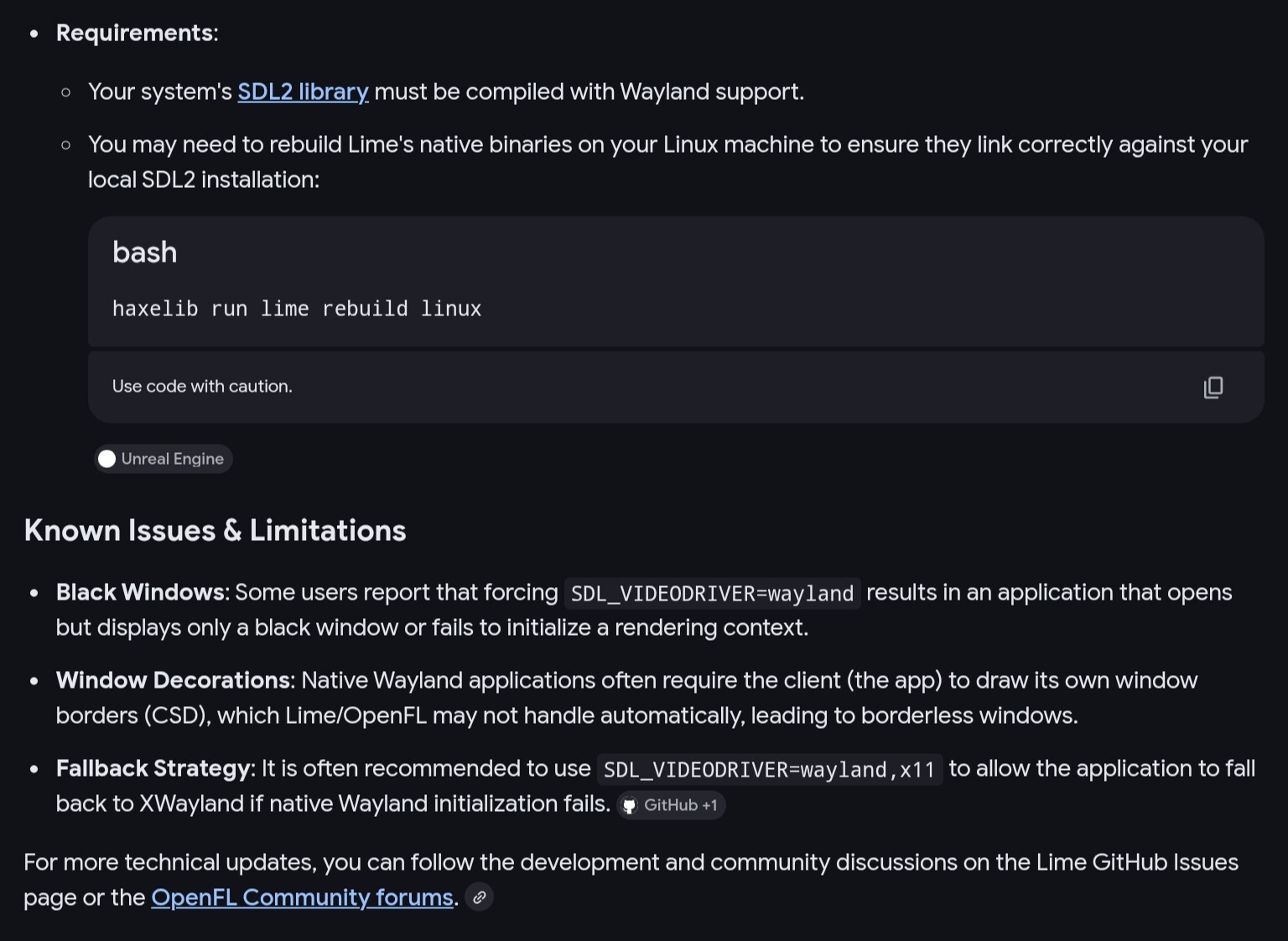
Gemini 3 Flash: “how to run Lime/OpenFL on Wayland compositors”
To run Lime/OpenFL (hxcpp) applications natively on Wayland (instead of through XWayland), you primarily need to instruct the underlying SDL2 library to use its Wayland driver.
Before running your compiled binary, set the SDL_VIDEODRIVER variable:
bash
export SDL_VIDEODRIVER=wayland
./MyApplication
If you want to force Wayland support via your project.xml, you can define it for the Linux target. This ensures the SDL2 backend prioritizes Wayland:
xml
<section if="linux">
<!-- This tells SDL to prefer Wayland if available -->
<setenv name="SDL_VIDEODRIVER" value="wayland" />
</section>
For this to work, ensure the following:
System Libraries: You must have libwayland-client, libwayland-egl, and libwayland-cursor installed on your system.
Hxcpp Build: Since Lime 8.0+, the bundled SDL2 is
usually compiled with Wayland support. If you are using a custom or
system SDL2, ensure it was compiled with the --enable-video-wayland flag.
Window Decorations: Some Wayland compositors (like
early versions of Sway or GNOME) may not provide “Server-Side
Decorations” (title bars/borders). If your window appears without a
title bar, you might need to enable Client-Side Decorations (CSD) or
handle the UI manually.
High DPI: Wayland handles scaling differently than X11. If your game looks blurry or tiny, ensure you have <window allow-high-dpi="true" /> in your project.xml.
Fallbacks: If you set SDL_VIDEODRIVER=wayland and the app fails to start, it usually means a protocol mismatch. You can use SDL_VIDEODRIVER=wayland,x11 to allow it to fall back to XWayland if native Wayland fails.
To verify it’s working:
Run your app with WAYLAND_DEBUG=1. If you see a stream of protocol messages in the terminal, it is running natively on Wayland.
This does not appear to be the case. Please take a moment to verify what an AI told you is true before you share it.
Brave AI: “Since Lime 8.0+, the bundled SDL2 is usually compiled with Wayland support.”
The provided search context does not contain information regarding “Lime 8.0+” or its bundled SDL2 configuration, as the available data primarily focuses on SDL 2.0.22 and general Linux gaming environments.
SDL 2.0.22 initially defaulted to Wayland in January 2022 but was reverted to X11 by default in April 2022 due to stability issues with third-party software like NVIDIA drivers and the Steam overlay.
Valve’s Steam Runtime has historically faced challenges with Wayland support, with users occasionally needing to override bundled libraries or use environment variables like SDL_VIDEODRIVER=wayland to force native Wayland execution.
Unreal Engine 5.2 notably removed Wayland support from its default pre-built SDL2 libraries, requiring manual rebuilding for native Wayland compatibility.
For accurate details on Lime 8.0+, please consult specific documentation for that software version.
AI-generated answer. Please verify critical facts.
Done.
SDL needs to be built with Wayland support for that env var to actually work. Looks like that’s the issue here.