How to rotate openfl content 90 degrees?
<div id="openfl-content"></div>
Does OpenFL have an API that can rotate 90 degrees?

How to rotate openfl content 90 degrees?
<div id="openfl-content"></div>
Does OpenFL have an API that can rotate 90 degrees?
Or can OpenFL force the phone’s orientation to landscape?
stage.setOrientation
How to set the screen orientation?
I have tried the following two methods,
But it doesn’t work on HTML5 targets!
1
stage.setOrientation
2
<window orientation="portrait" />
I know that ‘air’ has’ aspectRatio ‘, and I would like to ask if there is a method like this in’ openfl '?
<aspectRatio>landscape</aspectRatio>
Pretty sure setting the screen orientation will only work from an application, not from inside the browser (imagine how annoying it could be)
If you have a web game/app that requires landscape, check stage dimensions and show a message to user asking him to rotate his device (pause the game if needed)
Web pages in browsers have no control over the device’s orientation. Only apps can force an orientation.
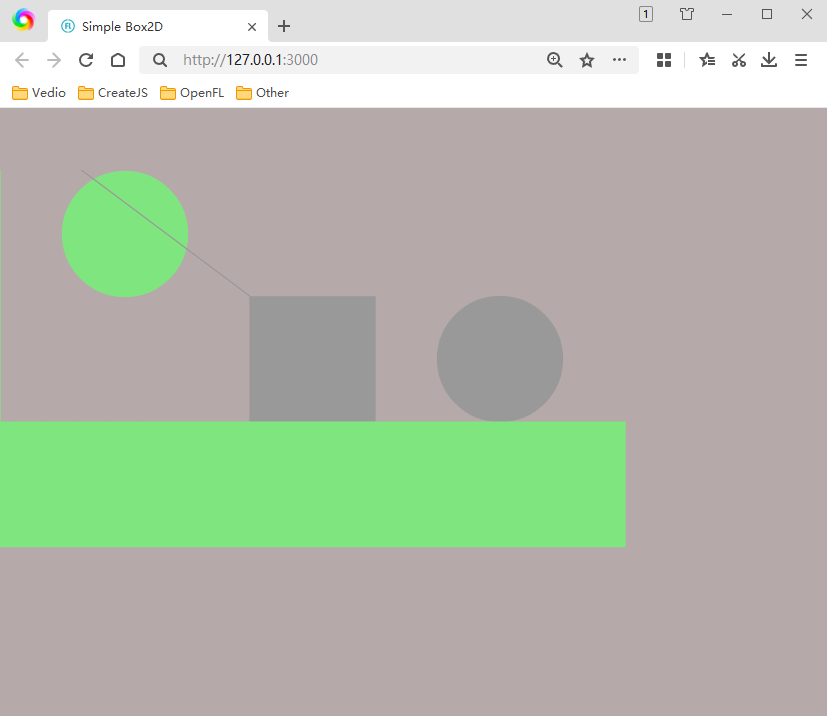
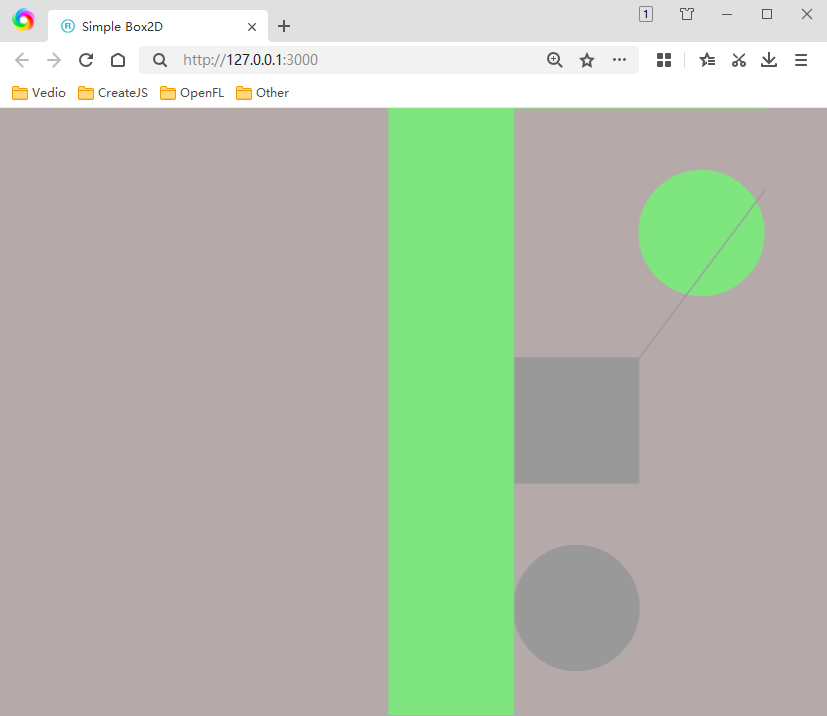
I used to be able to rotate document classes by 90 degrees, but when I used ‘box2d’ in the project, it didn’t work. Even after rotating the display layer by 90 degrees, the direction of ‘box2d’ remained unchanged, which made it difficult to handle various position xy changes and coordinate conversions! So I also tried to rotate the entire ‘div’ 90 degrees, but the content didn’t fill the browser window!
You’ll need to handle resizing based on your needs. Listen for and handle Event.RESIZE. Here’s a Starling example I shared previously. The below was intended for use in a standalone application, so adjust it accordingly.
AI wrote a function to rotate the entire ‘div’
It seems to work, but I don’t know if this function will affect ‘openfl’?
<div id="openfl-content"></div>
private function ddvv() {
		var div:DivElement = cast Browser.document.getElementById("openfl-content");

		div.style.position = 'fixed';
		div.style.left = '0px';
		div.style.top = '0px';
		div.style.margin = '0px';
		div.style.padding = '0px';

		div.style.transform = 'rotate(90deg)';
		div.style.left = (stage.stageWidth / 2 - stage.stageHeight / 2) + 'px';
		div.style.top = (stage.stageHeight / 2 - stage.stageWidth / 2) + 'px';

		div.style.width = stage.stageHeight + 'px';
		div.style.height = stage.stageWidth + 'px';
	}
package;

import box2D.collision.shapes.B2CircleShape;
import box2D.collision.shapes.B2PolygonShape;
import box2D.common.math.B2Vec2;
import box2D.dynamics.B2Body;
import box2D.dynamics.B2BodyDef;
import box2D.dynamics.B2DebugDraw;
import box2D.dynamics.B2FixtureDef;
import box2D.dynamics.B2World;
import openfl.display.Sprite;
import openfl.events.Event;
import js.Browser;
import js.html.DivElement;

class Main extends Sprite {
	private static var PHYSICS_SCALE:Float = 1 / 30;

	private var PhysicsDebug:Sprite;
	private var World:B2World;

	private function ddvv() {
		var div:DivElement = cast Browser.document.getElementById("openfl-content");

		div.style.position = 'fixed';
		div.style.left = '0px';
		div.style.top = '0px';
		div.style.margin = '0px';
		div.style.padding = '0px';

		div.style.transform = 'rotate(90deg)';
		div.style.left = (stage.stageWidth / 2 - stage.stageHeight / 2) + 'px';
		div.style.top = (stage.stageHeight / 2 - stage.stageWidth / 2) + 'px';

		div.style.width = stage.stageHeight + 'px';
		div.style.height = stage.stageWidth + 'px';
	}

	public function new() {
		super();

		stage.color = 0xffb5a9a9;

		ddvv();

		World = new B2World(new B2Vec2(0, 10.0), true);

		PhysicsDebug = new Sprite();
		addChild(PhysicsDebug);

		var debugDraw = new B2DebugDraw();
		debugDraw.setSprite(PhysicsDebug);
		debugDraw.setDrawScale(1 / PHYSICS_SCALE);
		debugDraw.setFlags(B2DebugDraw.e_shapeBit);

		World.setDebugDraw(debugDraw);

		createBox(250, 300, 500, 100, false);
		createBox(250, 100, 100, 100, true);
		createCircle(100, 100, 50, false);
		createCircle(400, 100, 50, true);

		addEventListener(Event.ENTER_FRAME, this_onEnterFrame);
	}

	private function createBox(x:Float, y:Float, width:Float, height:Float, dynamicBody:Bool):Void {
		var bodyDefinition = new B2BodyDef();
		bodyDefinition.position.set(x * PHYSICS_SCALE, y * PHYSICS_SCALE);

		if (dynamicBody) {
			bodyDefinition.type = B2Body.b2_dynamicBody;
		}

		var polygon = new B2PolygonShape();
		polygon.setAsBox((width / 2) * PHYSICS_SCALE, (height / 2) * PHYSICS_SCALE);

		var fixtureDefinition = new B2FixtureDef();
		fixtureDefinition.shape = polygon;

		var body = World.createBody(bodyDefinition);
		body.createFixture(fixtureDefinition);
	}

	private function createCircle(x:Float, y:Float, radius:Float, dynamicBody:Bool):Void {
		var bodyDefinition = new B2BodyDef();
		bodyDefinition.position.set(x * PHYSICS_SCALE, y * PHYSICS_SCALE);

		if (dynamicBody) {
			bodyDefinition.type = B2Body.b2_dynamicBody;
		}

		var circle = new B2CircleShape(radius * PHYSICS_SCALE);

		var fixtureDefinition = new B2FixtureDef();
		fixtureDefinition.shape = circle;

		var body = World.createBody(bodyDefinition);
		body.createFixture(fixtureDefinition);
	}

	// Event Handlers

	private function this_onEnterFrame(event:Event):Void {
		World.step(1 / 30, 10, 10);
		World.clearForces();
		World.drawDebugData();
	}
}
Actually come to think of it, the Event.RESIZE may not detect beyond the application bounds, when used in HTML5, so my above example is probably misplaced.
Does’ Starling ‘have its own’ RESIZE '?
It does, but it may not fire under HTML5 because the scaling happens external to the application.
Did you notice a phenomenon where the edges of the image shake when moving it left and right using ‘Tween’?
Native OpenFL or Starling? Is the image scaled?
To fetch the browser windows size:
#if html5
js.Browser.window.addEventListener("resize", function(e) {
   trace("WIDTH: " + js.Browser.window.innerWidth);
   trace("HEIGHT: " + js.Browser.window.innerHeight);
});
#end
Of course it’s’ starling '. It’s definitely about scaling proportionally. If it’s not as good, then it’s distorted. Isn’t that the foundation
I am currently using ‘openfl’,
If possible, I wouldn’t use native HTML5 CSS JS
Furthermore, even for native HTML5, it is not recommended to use ‘window. inlnerWidth’
Should use ‘document. documentElement. cronWidth’
What I shared was OpenFL / Haxe code.
Because neither of the two methods I tried before on the HTML5 target worked!
So we can only rotate the entire div