How to create complex “UI” with “Starling”
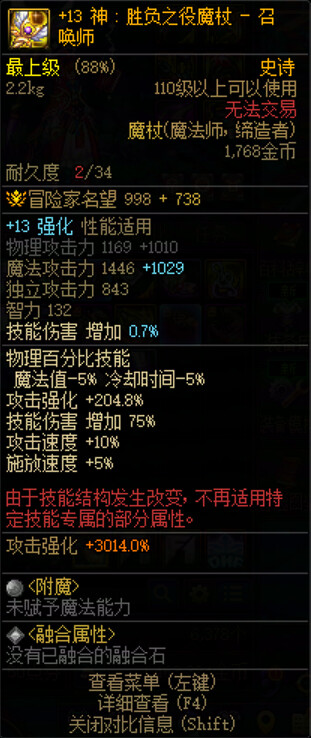
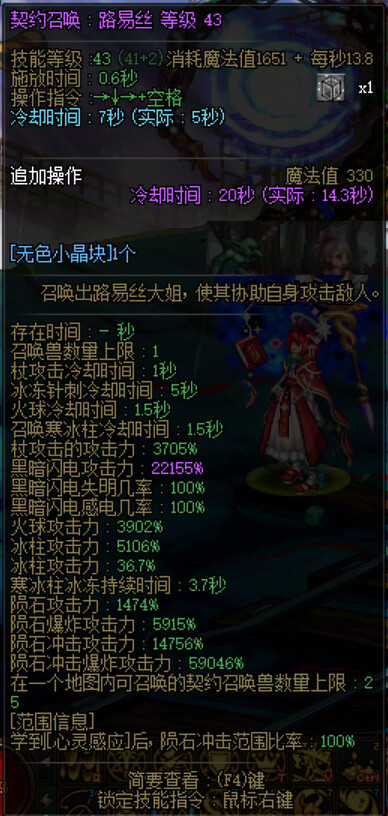
As shown in the picture, the text content and color are different. Is there any tool to create them?

How to create complex “UI” with “Starling”
As shown in the picture, the text content and color are different. Is there any tool to create them?
The text content and text color are different, and the numerical part is the variable value.
The “ui” in the picture has a small but clear text display, and a glowing filter has been added for excellent effect processing. This is the “ui” in “Dungeon&Fighter: Innovation Century”
using Feathers for Starling
GitHub - MatseFR/feathersui-starling: haxe version of the as3 lib · GitHub (no haxelib version yet)
Getting started with Feathers (legacy AS3/Starling version) - Feathers UI (as3 but the haxe version works exactly the same)
You can easily achieve that using 2 Labels in a LayoutGroup, and it’s better to only redraw the value anyway
I don’t see any glowing filter going on : there’s a black outline though, which doesn’t necessarily means it’s using a filter unless you have some insider info ?
These “UI” should be drawn using code, not bitmap fonts, as bitmap fonts are not suitable for displaying very small text. Secondly, there are a large number of such “UI” with different text colors, making it difficult to modify projects using bitmap fonts.
Main issue with bitmap fonts is size, not coloring. And it all seems the same size to me.
Again, white will get colorized and black will not so the black outline thing is easy to do with a bitmap font.
Really ? Why ?
Action games have a large number of similar “UI”,
You should know that the content of each “ui” text is different.
A large number of similar ‘UI’,
Each ‘ui’ contains a large amount of text,
The textual content is different,
The color of the text is also different.
Do you use bitmap fonts for a large amount of text with different contents?
You will handle a large amount of workload,
If in the later stage, you need to remake the text, graphics, and fonts for the content, as new text may be added later. This is just one “UI”, and there are many “UIs” with different text content
I didn’t brought up bitmap fonts : you did
But yes, the UI on those screens would be perfectly doable with bitmap fonts. I believe I demonstrated quite recently that displaying tens of thousands of images was entirely doable (and I didn’t even explore caching yet). Here we’re barely talking a few hundreds (of very small ones).
mmm… yeah ? What’s your point ?
sure, how is that a problem ?
Your screens are not “large amount of text” in my eyes.
Going with regular Starling most of the text will be cached as it doesn’t change, only values do and those are just a few characters. Do you think an outline filter comes for free ?
I have no idea what you’re talking about really. Are you saying that replacing a bitmap font with another is hard or something ? Are all UIs displayed and updated at the same time ? How will rendering text then drawing it on a texture be any faster ?
I have 2000 ‘UIs’, each of which needs to display 200 characters. The characters displayed on each UI are different, so you have to create 2000 text images! Why don’t I just draw it with code ..
Besides, bitmap fonts need to be pre made, and if I add new characters, I will have to remake them Why don’t I just draw it with code?
A UI created with bitmap fonts is using code. The only difference is the original asset being used. One is vector based font file, the other is a raster based texture atlas.
An example of not using code, would be to create all your UI assets using a tool like Photoshop / Gimp or Illustrator / Inkscape, which is a solution I’ve often gone with for non-dynamic interface elements. I’m not suggesting you should do this, only that it’s an option.
In terms of the size issue, it’s true bitmap fonts can be poorly impacted by scaling. When I’ve needed small bitmap font text in the past, the trick I found was, don’t scale them! Produce a bitmap font for the exact size I need to present it.
If I need multiple sizes, generate a bitmap font for that size.
As discussed in the past, you can also try using a distance field bitmap font. These have advanced since I last used them and now multi-channel distance field textures are a thing, and they’re apparently even higher quality.
I want to note, your original question was how to create a complex UI with Starling, and so classic Feathers for Starling, and bitmap fonts, are naturally going to be ways of achieving that.
The alternative non-Starling option you still have access to, is the OpenFL stage and options available there, such OpenFL’s native features, or Feathers for OpenFL. I’ve not tried this in conjunction with Starling for OpenFL, but @joshtynjala might be able to confirm if that’ll be ok.
I haven’t personally tried adding Feathers UI for OpenFL components in the native overlay above Starling. However, I don’t see why it wouldn’t work.
I can confirm Feathers-OpenFL works with starling : I have that running in a ValEditor demo and have a game prototype that uses that.
By the way BitmapFont exists for OpenFL and uses TileMap so it should be faster than current starling text with a bitmap font. But then starling has caching, so I’m not sure what’s best in real case scenario.
Of course UI is always gonna be on top of starling content with Feathers-OpenFL
There is also HaxeUI, I never used it but I guess it should be good since a lot of people seems to use it.