
I always found that confusing. I’m glad Harman finally brought them into alignment, that’s perhaps part of the reason they jumped to version 50.
Hi,
I just got up,
I thought of you asking me to look at the generated ‘air. xml’ before,
I looked at it and found that it displayed “32”?
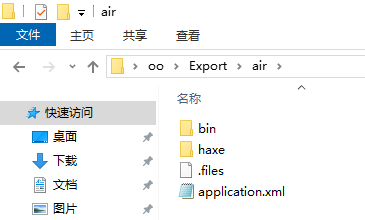
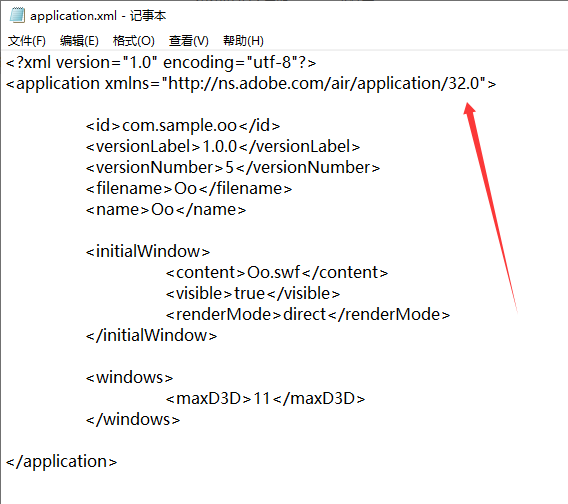
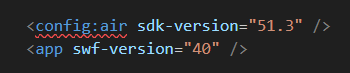
I added these contents in ‘project. xml’,
But drawing a red line indicates an error?

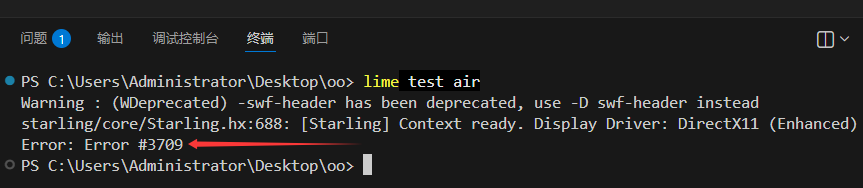
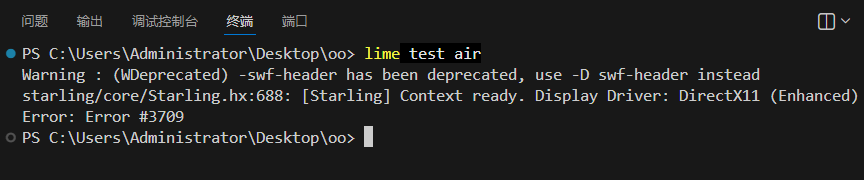
When I execute ‘lime test air’
You likely have some kind of XML extension installed in VSCode that checks for errors. However, Lime does not require you to define the config namespace in XML.
According to the documentation, error 3709 means: “The depthAndStencil flag in the application descriptor must match the enableDepthAndStencil Boolean passed to configureBackBuffer on the Context3D object.”
You will need to modify your application descriptor template to add any additional fields that your project needs.
I did install an ‘XML’ to support automatic formatting of code, but I have uninstalled it and there is no red line drawn now
But I still make errors during compilation?
“project.xml“
<?xml version="1.0" encoding="utf-8"?>
<project>

	<meta title="Oo" package="com.sample.oo" version="1.0.0" company="Company Name" />
	<app main="Main" path="Export" file="Oo" />

	<source path="Source" />

	<haxelib name="openfl" />
	<haxelib name="starling" />

	<assets path="textures" embed="false" preload="false" />

    <config:air sdk-version="51.3" />
	<app swf-version="40" />

<template path="custom-templates" />

</project>
“application.xml“
<?xml version="1.0" encoding="utf-8"?>
<application xmlns="http://ns.adobe.com/air/application/::AIR_SDK_VERSION::">

	<id>::APP_PACKAGE::</id>
	<versionLabel>::APP_VERSION::</versionLabel>
	<versionNumber>::APP_BUILD_NUMBER_SPLIT::</versionNumber>
	<filename>::APP_FILE::</filename>
	<name>::APP_TITLE::</name>

	<initialWindow>
		<content>::APP_FILE::.swf</content>
		<visible>true</visible>
		<renderMode>direct</renderMode>
	</initialWindow>

	<windows>
		<maxD3D>11</maxD3D>
	</windows>

</application>
I don’t know how to set it up?
Success, that’s it. There’s no need to add ‘depthAndTencil’ in ‘as3air’, it must be added in ‘openfl’, it’s strange
depthAndStencil
optional
Indicates that the application requires the use of the depth or stencil buffer. You typically use these buffers when working with 3D content.
By default, the value of this element is false to disable the depth and stencil buffers. This element is necessary because the buffers must be allocated on application startup, before any content loads.
The setting of this element must match the value passed for the enableDepthAndStencil argument to the Context3D.configureBackBuffer() method. If the values do not match, AIR issues an error.
This element is only available when renderMode is set to direct.
Example
<depthAndStencil>true</depthAndStencil>
But there is still an error saying that the ‘swf’ header is not supported?

I am very much looking forward to your reply now,
Looking forward to you telling me how to solve the warning of the “swf” header?
Will this’ swf 'header warning have any impact?
This is not an error. It is a warning. It comes from the Haxe compiler. It does not indicate a problem that affects your application. You can safely ignore it.
All right! Since you said you can ignore it with confidence