I have been maintaining an ‘as3air’ tool,
I used to write code in Adobe Animate,
Recently, I have started writing code using “vs code” and debugging and packaging with “Adobe Animate”
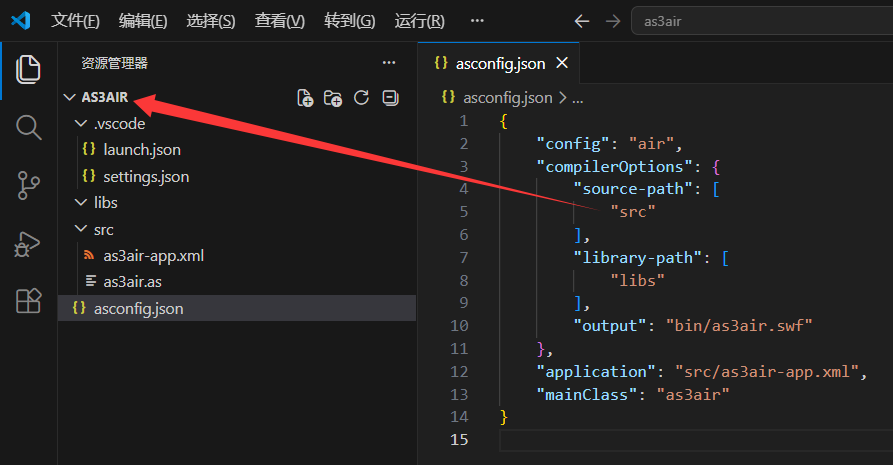
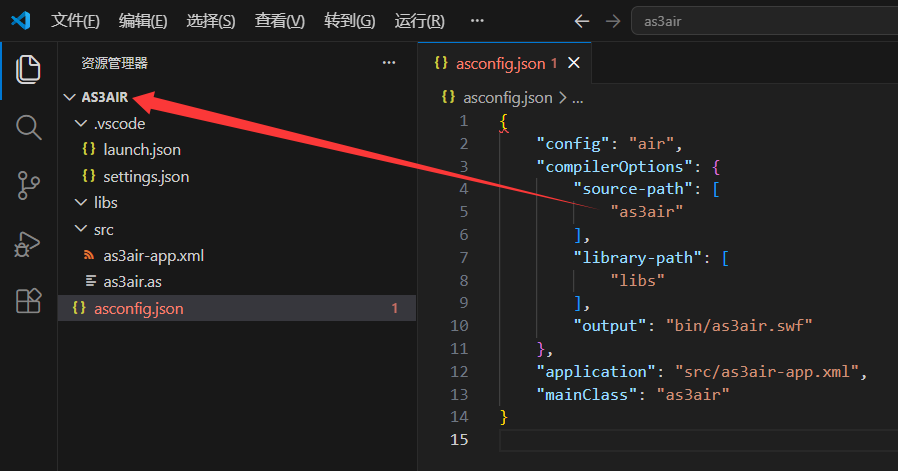
The default code path folder in ‘vs code’ is’ src ',
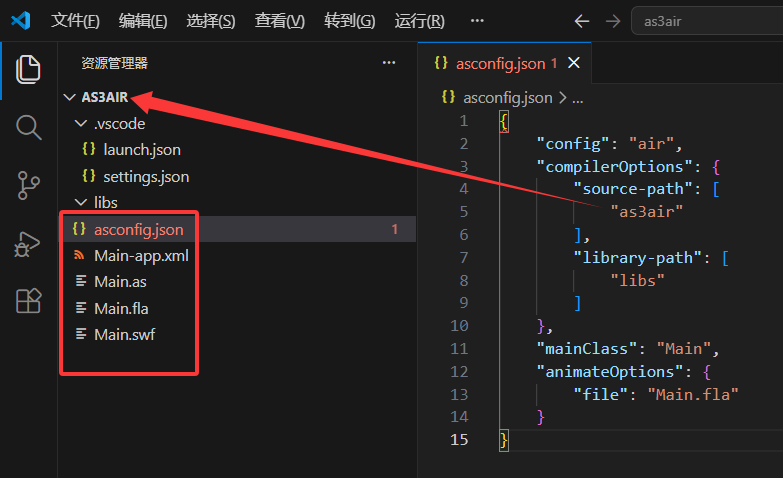
I need to set the default code path folder to the root directory,
But I have looked at the instructions for ‘asconfig.json’ and there is no explanation on how to set ‘src’ to the root directory, so I would like to ask the maintainer?
Why do I need to set ‘source path’ as the root directory of the project,
Because this is a project with “vs code” and “adobe animate”, write code in “vs code”, debug and package in “adobe animate”, and “Main. fla” is located in the project root directory
I’m glad to see this news as soon as I got up,
Thank you very much to the maintainer.
Why do I use ‘Adobe Animate’ for debugging and packaging,
Because I think there are several advantages:
Generally, debugging requires’ trace ‘,
The ‘vs code’ only displays the ‘trace’ content in debug mode and requires clicking on the output window every time, as’ vs code 'does not automatically jump to the output window during debugging,
In Adobe Animate, both ‘ctrl+enter’ and ‘ctrl+shift+enter’ will display the content of ‘trace’, and each time debugging automatically jumps to the output window to view the content of ‘trace’
Adobe Animate has a visual interface,
Very convenient for “creating certificates” and “setting application descriptors”,
Set up one click packaging for ‘. exe. apk. air’,
And all of these can be done using a ‘visual interface’“
In VSCode’s launch.json file, you can set the internalConsoleOptions field to "openOnSessionStart" to automatically switch to the Debug Console when a debugging session starts.
{
	// Use IntelliSense to learn about possible attributes.
	// Hover to view descriptions of existing attributes.
	// For more information, visit: https://go.microsoft.com/fwlink/?linkid=830387
	"version": "0.2.0",
	"configurations": [
		{
			"type": "swf",
			"request": "launch",
			"name": "Launch SWF",
			"internalConsoleOptions": "openOnSessionStart",
			"preLaunchTask": "ActionScript: compile debug - asconfig.json"
		}
	]
}
From pressing ‘ctrl+shift+enter’ to the pop-up ‘air’ window, I clearly feel that the speed is slightly slower. I was just providing feedback, thank you
I’m not aware of any compatibility issues with the latest AIR SDK and Adobe Animate.
However, I don’t typically use Animate. I have an old license for Flash CS5.5 that I use sometimes, but generally, when I compile AS3, I do it in VSCode.
The ‘air’ application descriptor has many options,
Usually, it takes time to read the description of each option,
Secondly, one needs to know the ‘adt’ command line,
So I think using “Adobe Animate” to create certificates and package “apps” is very convenient. It seems that people prefer to do it in “vs code” ..
I think you’ve expressed one reason why people prefer not to use Adobe Animate / Flash.
When using the command line, any issues relating to paid subscriptions, or “does it support”, are largely non-existent. It’s more complex, granted, but if you can overcome that, you’re now in control.