
Does “e.width” equal “openfl stage. stageWidth”?
To my knowledge, on the HTML5 target, ‘openfl stage. stageWedth’ will automatically adjust based on the browser window, without the need for us to manually adjust it
That it may. OpenFL does behave differently at times to the Flash API, particularly as it’s dealing with different targets. The doc comments I’ve referenced are Flash API doc comments.
I’ll need to test some more to clarify @785597448
.
A ResizeEvent is dispatched by the stage when the size of the Flash container changes. Use it to update the Starling viewport and the stage size.
.
The event contains properties containing the updated width and height of the Flash player. If you want to scale the contents of your stage to fill the screen, update the Starling.current.viewPort rectangle accordingly. If you want to make use of the additional screen estate, update the values of stage.stageWidth and stage.stageHeight as well.
.
If you want to make use of the additional screen estate, update the values of stage.stageWidth and stage.stageHeight as well.
.
I don’t understand what the latter sentence means?
.
.
When targeting sys targets (hl, neko, cpp), I can confirm that the ResizeEvent’s width and height properties (e.width, e.height) match the stage’s reported width and height (stage.stageWidth, stage.stageHeight).
The behaviour with the HTML5 target is different. It’s not reporting any change, the scaling appears to be performed external to OpenFL, via DOM resizing perhaps. The contents of the canvas element remain oblivious.
You might need to direct your attention to the HTML5 code, adjusting it to your needs there, perhaps employing JavaScript too. You might target the div element containing the canvas.
Just doing some more testing, you can get the parent elements resize event and size using:
#if html5
js.Browser.window.addEventListener("resize", function(e) {
    trace("WIDTH: " + js.Browser.window.innerWidth);
    trace("HEIGHT: " + js.Browser.window.innerHeight);
});
#end
Thank you for your hard work. It’s evident that you tested it in great detail,
I learned from your reply that ‘e.width, e.height’
Not applicable to “html5” targets
I don’t think it’s necessary to do this,
Because as I mentioned earlier,
In the “html5” target, “openfl stage. stageWidth Height” will automatically adjust “stage. stageWidth Height” according to the size of the browser window
I have set unified values for the openfl stage size, starling stage size, and viewport
.
I tested it again,
In the “html5” target, “openfl” will automatically adjust the “stage. stageWidth Height” according to the browser window size. My monitor resolution is “1920 * 1080”, and when I press F11, the full screen “trace” value of the browser is the same as the item monitor resolution
.
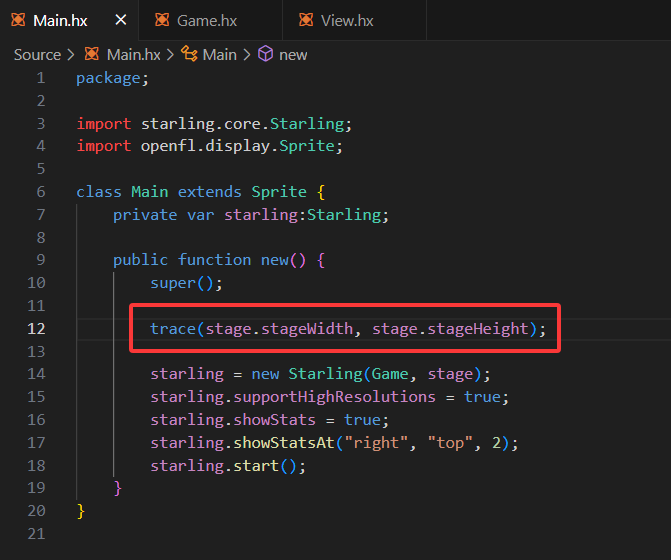
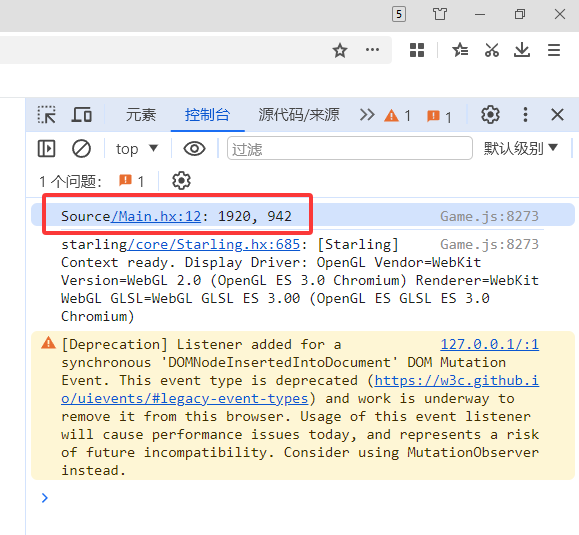

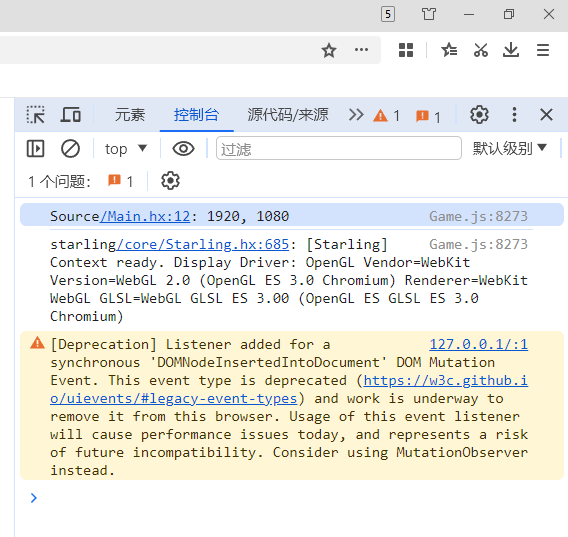
Is this doing what you need it to do @785597448 ?
.
Yes, it’s what I need. I need the display area to change according to the browser window transformation, and ‘openfl’ automatically handles it
.
“document.documentElement.clientWidth,
document.documentElement.clientHeight“
.
In my previous “createjs” project, I need to directly obtain the size of the browser window, and then adjust it. “openfl” will automatically adjust
.
1 Like